Form Security Best Practices: Essential Protection for Online Forms in 2025
Key Takeaways
- Input validation is your first line of defense: Always validate on the server side—client-side validation is for user experience only, not security.
- CSRF tokens prevent unauthorized form submissions: Every form that changes state must include unique tokens validated on the server.
- Security headers block entire categories of attacks: Implementing headers like CSP, X-Frame-Options, and HSTS protects against XSS, clickjacking, and man-in-the-middle attacks.
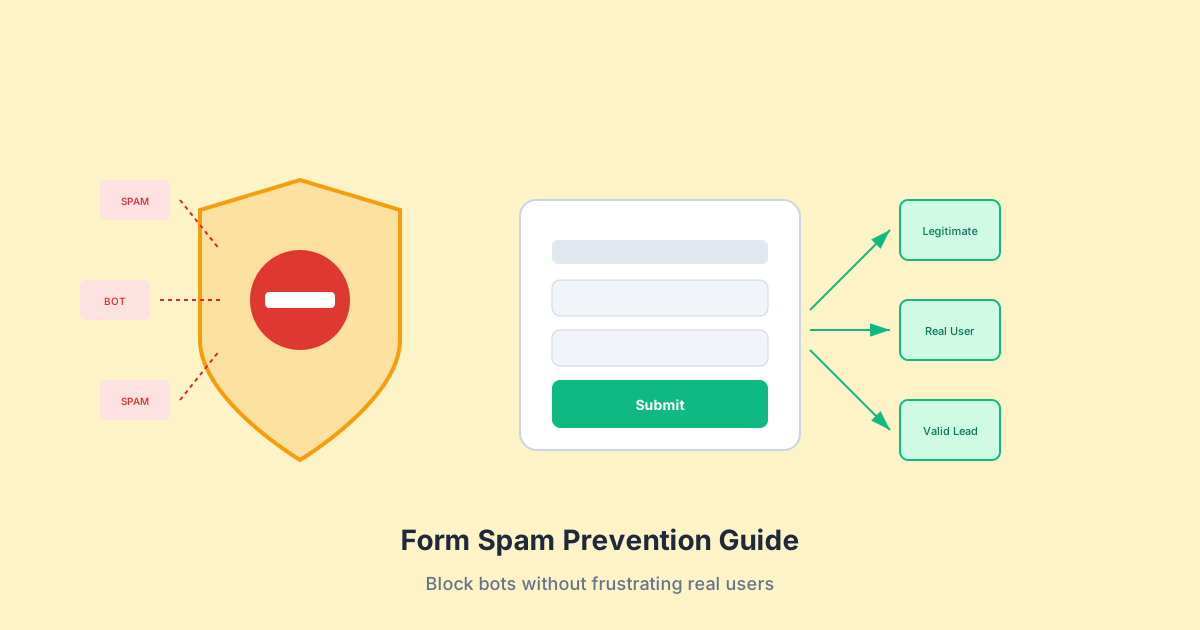
- Rate limiting stops brute force attacks: Protect login forms and sensitive endpoints with request throttling to prevent automated attacks.
Web forms are the primary way users interact with your application—and the primary target for attackers. According to the Verizon 2023 Data Breach Investigations Report, 83% of breaches involved the human element, with web applications being a top attack vector. The IBM Cost of a Data Breach Report 2023 found the average breach costs $4.45 million, with detection taking an average of 277 days.
Form security isn’t optional—it’s fundamental to protecting your users and your business. This comprehensive guide covers the essential security practices every form should implement.
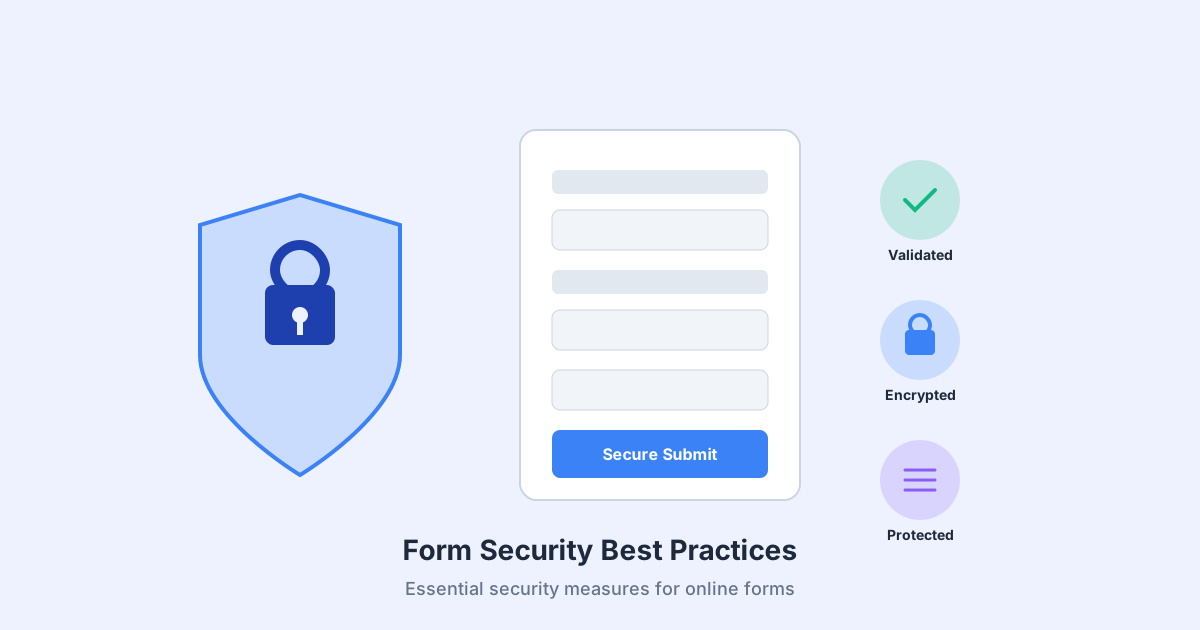
Understanding Form Security Threats
Before implementing defenses, you must understand what you’re defending against. The OWASP (Open Web Application Security Project) Top 10 identifies the most critical security risks to web applications, many of which directly impact forms.
The OWASP Top 10 and Forms
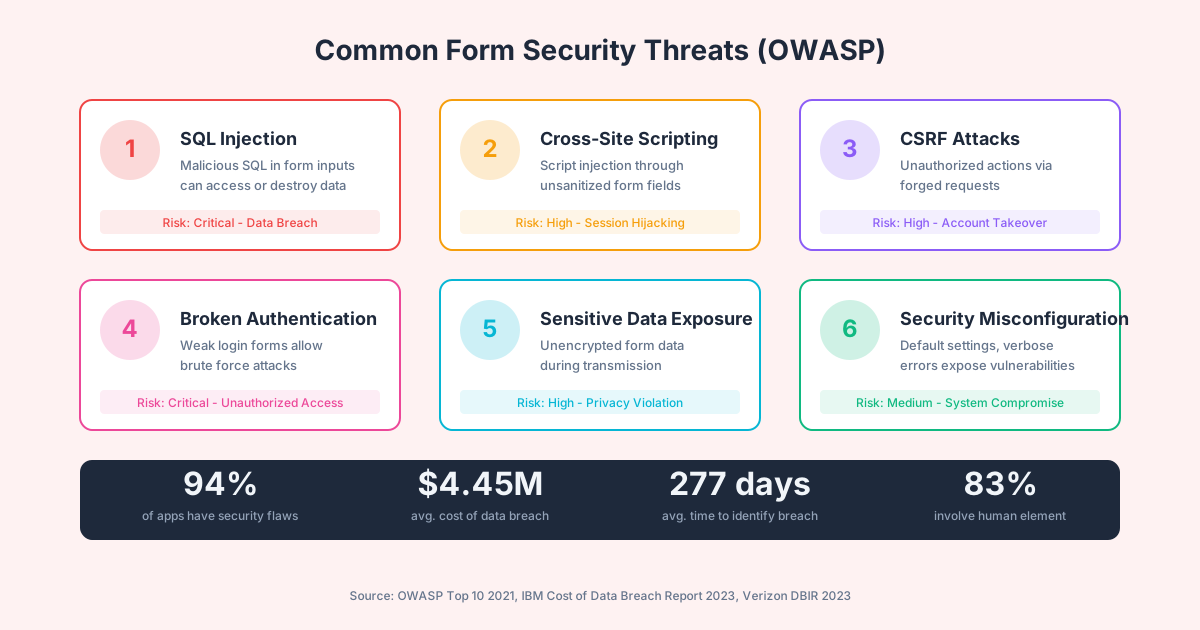
1. SQL Injection (SQLi)
SQL injection occurs when attackers insert malicious SQL code through form inputs. If your application directly concatenates user input into database queries, attackers can read, modify, or delete data—or even take control of your server.
A classic example:
-- Expected input: john@example.com
SELECT * FROM users WHERE email = 'john@example.com'

-- Malicious input: ' OR '1'='1
SELECT * FROM users WHERE email = '' OR '1'='1'
-- This returns ALL users
2. Cross-Site Scripting (XSS)
XSS attacks inject malicious scripts through form fields that are later displayed to other users. These scripts can steal session cookies, redirect users to phishing sites, or perform actions on behalf of authenticated users.
3. Cross-Site Request Forgery (CSRF)
CSRF tricks authenticated users into submitting forms without their knowledge. An attacker embeds a hidden form on a malicious site that submits to your application using the victim’s cookies.
4. Broken Authentication
Weak login forms are vulnerable to credential stuffing (using leaked username/password combinations), brute force attacks, and session hijacking. According to Akamai’s State of the Internet report, credential stuffing attacks increased by 65% in recent years.
5. Sensitive Data Exposure
Forms that transmit data over unencrypted connections or store sensitive information insecurely expose users to data theft.
Input Validation: Your First Line of Defense
Input validation ensures that data submitted through forms meets your expectations before processing. It’s the single most important security control for forms.
Client-Side vs. Server-Side Validation
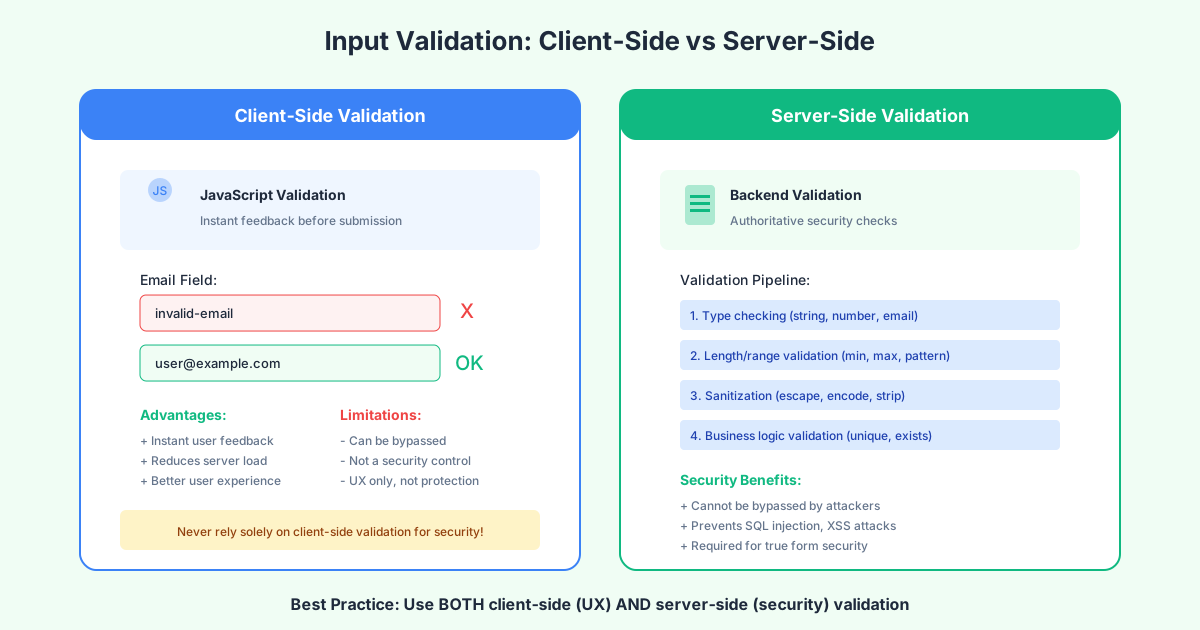
Client-Side Validation:
- Provides instant feedback to users
- Reduces server load for obviously invalid inputs
- Improves user experience
- Cannot be trusted for security (easily bypassed)
Server-Side Validation:
- Authoritative—cannot be bypassed by disabling JavaScript
- Required for all security-sensitive operations
- Must validate type, format, length, and business rules
- Should sanitize and encode output
Best Practice: Implement both. Use client-side validation for UX, but always validate again on the server.
Validation Strategies
1. Whitelist Validation (Preferred)
Accept only known good values. This is the most secure approach:
const allowedCountries = ['US', 'CA', 'UK', 'AU'];
if (!allowedCountries.includes(input.country)) {
  reject('Invalid country');
}
2. Type Coercion
Ensure inputs match expected data types:
const age = parseInt(input.age, 10);
if (isNaN(age) || age < 0 || age > 150) {
  reject('Invalid age');
}
3. Regular Expression Validation
For complex patterns like email addresses or phone numbers:
const emailRegex = /^[^\s@]+@[^\s@]+\.[^\s@]+$/;
if (!emailRegex.test(input.email)) {
  reject('Invalid email format');
}
4. Length Limits
Always enforce maximum (and often minimum) lengths:
if (input.message.length > 5000) {
  reject('Message too long');
}
Preventing SQL Injection
Never concatenate user input into SQL queries. Use parameterized queries (prepared statements):
// VULNERABLE - Never do this
const query = `SELECT * FROM users WHERE email = '${email}'`;

// SECURE - Use parameterized queries
const query = 'SELECT * FROM users WHERE email = $1';
const result = await db.query(query, [email]);
Preventing XSS
Encode output when displaying user-submitted content:
// Encode HTML entities
function escapeHtml(text) {
const map = {
'&': '&',
'<': '<',
'>': '>',
'"': '"',
"'": '''
};
return text.replace(/[&<>"']/g, m => map[m]);
}Use Content Security Policy headers (covered below) for additional protection.
CSRF Protection: Preventing Unauthorized Submissions
Cross-Site Request Forgery is one of the most common and dangerous form attacks. An attacker tricks a user’s browser into submitting a form to your site using the user’s authenticated session.
How CSRF Attacks Work
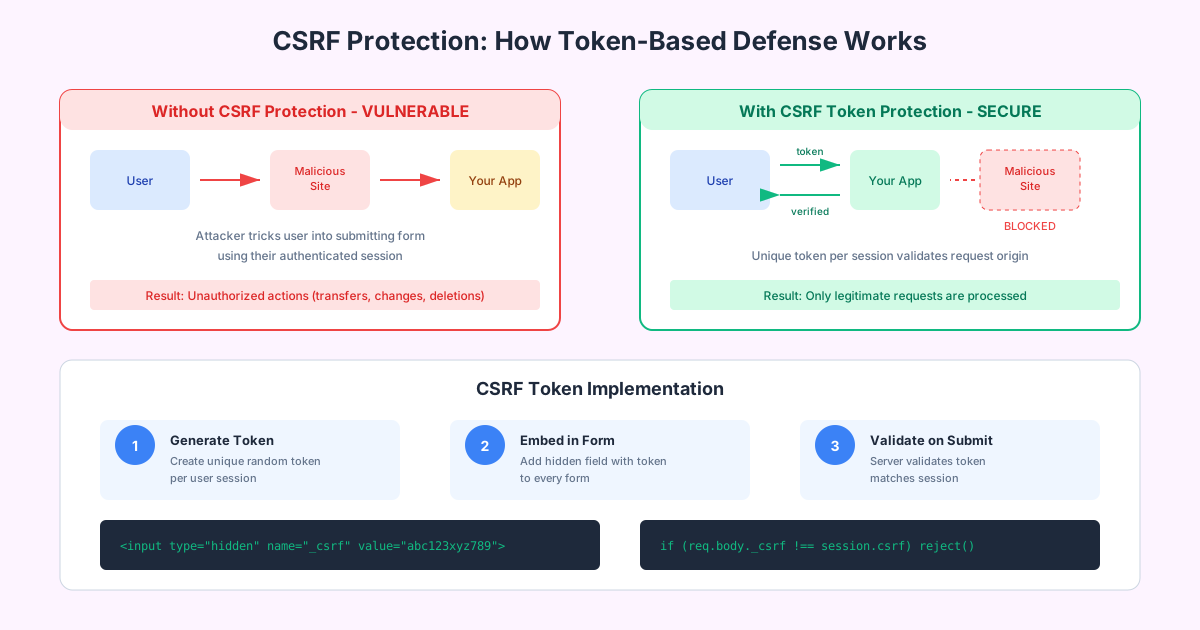
- User logs into your application (bank.com)
- User visits attacker’s site (evil.com)
- Evil.com contains a hidden form that POSTs to bank.com/transfer
- User’s browser sends the request with bank.com’s session cookie
- Bank.com processes the transfer as if the user initiated it
Implementing CSRF Tokens
CSRF tokens are unique, unpredictable values generated per session (or per request) that must be included in form submissions.
Token Generation:
const crypto = require('crypto');

function generateCSRFToken() {
  return crypto.randomBytes(32).toString('hex');
}

// Store in session
req.session.csrfToken = generateCSRFToken();
Include Token in Forms:
<form method="POST" action="/transfer">
  <input type="hidden" name="_csrf" value="abc123xyz789...">
  <!-- other form fields -->
  <button type="submit">Submit</button>
</form>
Validate on Server:
function validateCSRFToken(req, res, next) {
  const token = req.body._csrf || req.headers['x-csrf-token'];
  if (token !== req.session.csrfToken) {
    return res.status(403).json({ error: 'Invalid CSRF token' });
  }
  next();
}
Additional CSRF Protections
SameSite Cookie Attribute:
res.cookie('session', sessionId, {
  httpOnly: true,
  secure: true,
  sameSite: 'Strict' // or 'Lax'
});
Custom Headers: For AJAX requests, require a custom header that cross-origin requests cannot set:
// Client
fetch('/api/transfer', {
  method: 'POST',
  headers: {
    'X-Requested-With': 'XMLHttpRequest',
    'X-CSRF-Token': csrfToken
  }
});

// Server
if (req.headers['x-requested-with'] !== 'XMLHttpRequest') {
  reject();
}
Security Headers: Defense in Depth
HTTP security headers tell browsers how to behave when handling your site’s content. They’re a critical layer of defense that can block entire categories of attacks.
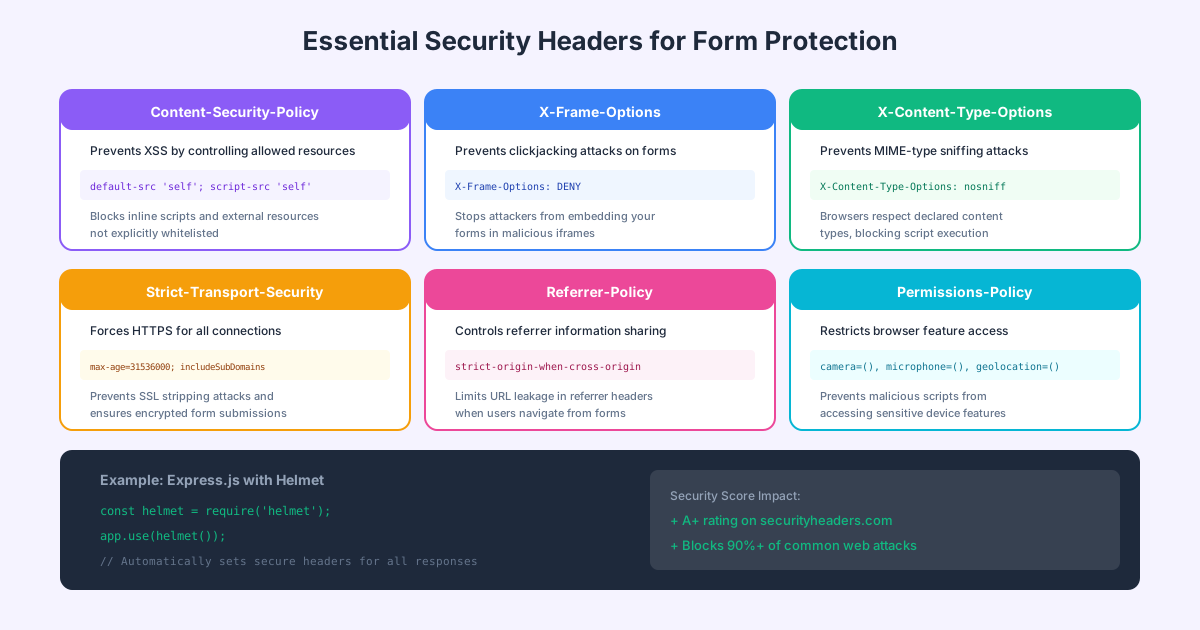
Content Security Policy (CSP)
CSP prevents XSS by controlling which resources can load and execute:
Content-Security-Policy:
  default-src 'self';
  script-src 'self' https://trusted-cdn.com;
  style-src 'self' 'unsafe-inline';
  img-src 'self' data: https:;
  form-action 'self';
Key directives for forms:
form-action 'self': Restricts where forms can submitscript-src: Controls JavaScript executionframe-ancestors 'none': Prevents clickjacking (like X-Frame-Options)
X-Frame-Options
Prevents your pages from being embedded in iframes on other sites (clickjacking):
X-Frame-Options: DENYOr allow only same-origin framing:
X-Frame-Options: SAMEORIGINStrict-Transport-Security (HSTS)
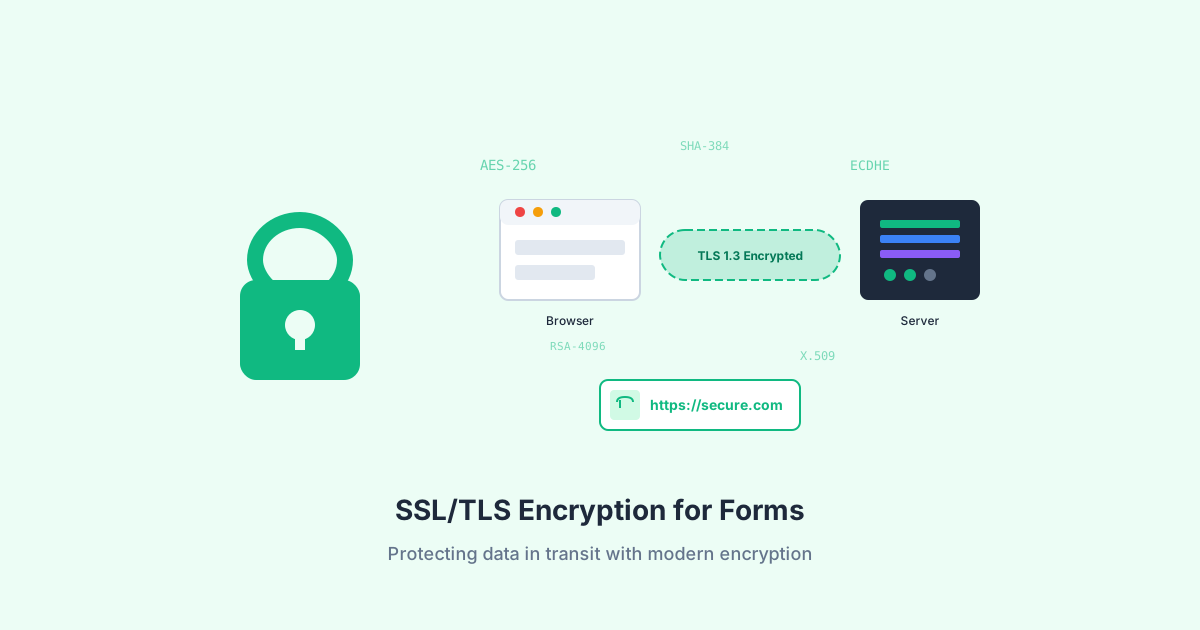
Forces HTTPS connections, preventing SSL stripping attacks:
Strict-Transport-Security: max-age=31536000; includeSubDomains; preloadThis tells browsers to only use HTTPS for your domain for one year, including subdomains.
X-Content-Type-Options
Prevents MIME-type sniffing:
X-Content-Type-Options: nosniffReferrer-Policy
Controls how much referrer information is shared:
Referrer-Policy: strict-origin-when-cross-originImplementation Example
Using Express.js with Helmet:
const helmet = require('helmet');

app.use(helmet({
  contentSecurityPolicy: {
    directives: {
      defaultSrc: ["'self'"],
      scriptSrc: ["'self'"],
      styleSrc: ["'self'", "'unsafe-inline'"],
      formAction: ["'self'"]
    }
  },
  hsts: {
    maxAge: 31536000,
    includeSubDomains: true
  }
}));
Rate Limiting: Stopping Brute Force Attacks
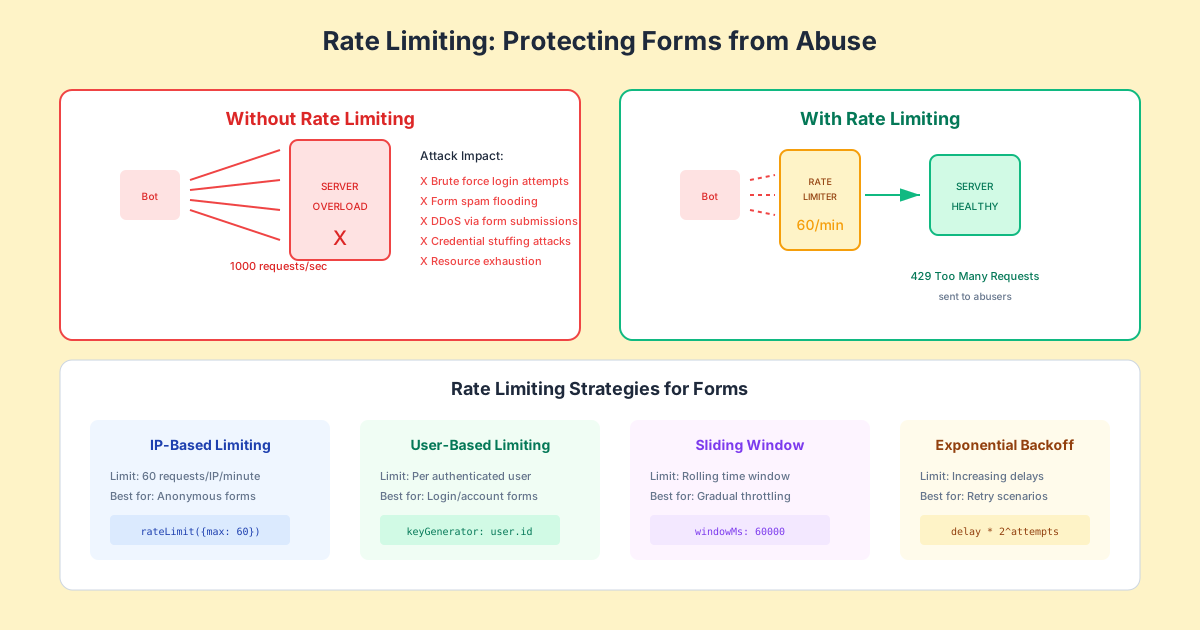
Rate limiting restricts how many requests a user can make in a given time period, protecting against brute force attacks, credential stuffing, and denial-of-service attempts.
Why Rate Limiting Matters
Without rate limiting, attackers can:
- Attempt thousands of password combinations per minute
- Flood your forms with spam submissions
- Exhaust server resources with form processing
- Test stolen credential databases against your login
Implementation Strategies
IP-Based Limiting:
const rateLimit = require('express-rate-limit');

const loginLimiter = rateLimit({
  windowMs: 15 * 60 * 1000, // 15 minutes
  max: 5, // 5 attempts per window
  message: 'Too many login attempts, please try again later',
  standardHeaders: true
});

app.post('/login', loginLimiter, loginHandler);
User-Based Limiting:
const userLimiter = rateLimit({
  windowMs: 60 * 60 * 1000, // 1 hour
  max: 100,
  keyGenerator: (req) => req.user?.id || req.ip
});
Progressive Delays:
// Increase delay with each failed attempt
const delays = [0, 1000, 2000, 5000, 10000, 30000];
const attemptCount = await getFailedAttempts(email);
const delay = delays[Math.min(attemptCount, delays.length - 1)];

if (delay > 0) {
  await new Promise(resolve => setTimeout(resolve, delay));
}
Rate Limiting Best Practices
- Use multiple rate limits: Different limits for different endpoints
- Combine IP and user-based limits: Catch attackers using multiple IPs
- Return meaningful errors: Tell users when they’ll be able to retry
- Log rate limit events: Monitor for attack patterns
- Consider geographic limits: Block suspicious regions if appropriate
Password Security for Login Forms
Login forms require special attention beyond general form security.
Secure Password Handling
Never store plaintext passwords. Use modern hashing algorithms:
const bcrypt = require('bcrypt');

// Hashing (on registration)
const saltRounds = 12;
const hashedPassword = await bcrypt.hash(password, saltRounds);

// Verification (on login)
const isValid = await bcrypt.compare(password, storedHash);
Modern alternatives:
- Argon2 (winner of Password Hashing Competition)
- scrypt
- PBKDF2
Password Requirements
Balance security with usability:
- Minimum 8-12 characters
- Check against common password lists
- Don’t enforce complex character requirements (NIST guidance)
- Support password managers (don’t block paste)
Account Lockout
Implement temporary lockouts after failed attempts:
const MAX_ATTEMPTS = 5;
const LOCKOUT_DURATION = 15 * 60 * 1000; // 15 minutes

async function handleLogin(email, password) {
  const attempts = await getFailedAttempts(email);
  const lockoutUntil = await getLockoutTime(email);

  if (lockoutUntil && Date.now() < lockoutUntil) {
    throw new Error('Account temporarily locked');
  }

  const user = await validateCredentials(email, password);

  if (!user) {
    await incrementFailedAttempts(email);
    if (attempts + 1 >= MAX_ATTEMPTS) {
      await setLockout(email, Date.now() + LOCKOUT_DURATION);
    }
    throw new Error('Invalid credentials');
  }

  await clearFailedAttempts(email);
  return user;
}
Form Security Checklist
Use this comprehensive checklist to verify your forms are secure:

Input Security
- Server-side validation on all inputs
- Input type validation (email, URL, numbers)
- Length limits enforced
- Output encoding/escaping
- Parameterized database queries
- File upload validation (type, size, content)
- Whitelist validation for enums
- HTML sanitization for rich text
Session and Authentication
- CSRF tokens on all state-changing forms
- Secure session cookies (HttpOnly, Secure)
- SameSite cookie attribute set
- Rate limiting on login forms
- Account lockout policy
- Strong password requirements
- Session timeout configured
- Regenerate session ID after login
Infrastructure
- HTTPS enforced (TLS 1.2+)
- HSTS header enabled
- CSP header configured
- X-Frame-Options set
- Generic error messages (no sensitive data)
- Data encrypted at rest
- Security logging enabled
- Regular security audits scheduled
Monitoring and Incident Response
Security doesn’t end at implementation. Continuous monitoring catches attacks in progress:
What to Log
- Failed login attempts (without passwords)
- Rate limit triggers
- CSRF validation failures
- Unusual form submission patterns
- Input validation rejections
- Changes to sensitive data
Alert Thresholds
- More than X failed logins for same account
- Rate limit triggers from same IP
- Sudden spike in form submissions
- Multiple CSRF failures from same session
Incident Response Plan
- Detect: Automated alerting on suspicious patterns
- Contain: Block attacking IPs, lock compromised accounts
- Investigate: Review logs, determine scope
- Remediate: Patch vulnerabilities, reset credentials
- Report: Notify affected users if required by law
FAQ
What’s the most important form security measure?
Server-side input validation is the single most critical security control. It prevents the widest range of attacks including SQL injection, XSS, and data corruption. While other measures like CSRF tokens and rate limiting are essential, validation is your foundation—if malicious input never gets processed, many attacks fail immediately.
Is client-side validation enough for security?
No. Client-side validation should only be used to improve user experience by providing instant feedback. It can be easily bypassed by disabling JavaScript, using browser developer tools, or sending requests directly to your server. Always validate on the server side for security purposes.
How often should I rotate CSRF tokens?
For most applications, generating a new CSRF token per session is sufficient. For highly sensitive operations (like financial transactions), consider per-request tokens. The trade-off is that per-request tokens can break the back button and multiple tabs. Never use predictable or reusable tokens.
What rate limits should I set for login forms?
A common starting point is 5 attempts per 15 minutes per IP address or username. However, this varies by application—a consumer app might allow more attempts, while a banking app might be stricter. Always combine rate limiting with account lockouts and monitoring for distributed attacks.
Do I need all security headers, or can I skip some?
Implement all recommended security headers. Each header protects against different attack vectors, and they work together for defense in depth. At minimum, implement CSP, X-Frame-Options, HSTS, and X-Content-Type-Options. The effort to implement them is minimal compared to the protection they provide.
How do I handle security for file upload forms?
File uploads require special attention: validate file type by content (not just extension), enforce size limits, store files outside the web root, use generated filenames (not user-provided), scan for malware, and serve files through a separate domain or with Content-Disposition headers to prevent XSS.
Building Secure Forms with Modern Tools
Implementing comprehensive form security requires attention to multiple layers of defense. Modern form builders like Pixelform include built-in security features:
- Automatic CSRF protection
- Server-side validation
- Rate limiting
- Secure data encryption
- Security header configuration
- Audit logging
These features significantly reduce the development burden while ensuring best practices are followed by default.
Build secure forms with Pixelform—enterprise security built in from day one.
This article provides general security guidance for web forms. Security requirements vary based on your specific application, industry regulations, and threat model. We recommend conducting regular security audits and consulting with security professionals for comprehensive protection.