Best JotForm Alternative in 2025: Feature & Price Comparison
Key Takeaways
- Pixelform offers competitive pricing with flexible subscription plans starting at $29/mo
- All features included in Pixelform plans vs. JotForm’s tiered feature restrictions
- Three subscription tiers - Basic ($29/mo), Premium ($59/mo), and Business ($149/mo) to match your needs
- Migration takes under 20 minutes with no data loss using simple CSV export/import
JotForm has been a reliable form builder since 2006, serving millions of users worldwide. However, as pricing has increased and newer alternatives have emerged, many users are questioning whether JotForm still offers the best value. In this comprehensive comparison, we’ll examine how JotForm stacks up against Pixelform and other modern alternatives.
Understanding JotForm’s Pricing Structure
JotForm operates on a tiered pricing model that can become expensive as your needs grow. According to JotForm’s official pricing page, here’s what you can expect to pay in 2025:
| Plan | Monthly Price | Submissions/Month | Forms |
|---|---|---|---|
| Starter | Free | 100 | 5 |
| Bronze | $39 | 1,000 | 25 |
| Silver | $99 | 10,000 | 100 |
| Gold | $199 | 100,000 | Unlimited |
The jump from Bronze to Silver represents a 153% price increase for 10x more submissions. For growing businesses, this pricing cliff can be problematic.
Hidden Limitations in JotForm Plans
Beyond the base pricing, JotForm restricts certain features by plan tier:
- Storage limits vary significantly (100MB on Bronze, 1GB on Silver)
- Form views are capped (10,000 on Bronze, 100,000 on Silver)
- Payment integrations require higher-tier plans
- HIPAA compliance only available on Enterprise
According to a 2024 survey by Capterra, 67% of form builder users cite unexpected feature limitations as their primary frustration with subscription-based tools.
Why Users Are Switching from JotForm
Research from G2’s 2024 Form Builder Market Report indicates that the top three reasons users switch from JotForm are:
- Pricing concerns (cited by 43% of switchers)
- Interface complexity (cited by 31% of switchers)
- Limited customization in lower-tier plans (cited by 26% of switchers)
JotForm’s extensive feature set, while powerful, can feel overwhelming for users who need straightforward form creation. The 2006-era interface, though functional, hasn’t kept pace with modern design expectations.
Pixelform: The Modern Alternative
Pixelform was built specifically for users who want JotForm’s power without the complexity or premium pricing. Here’s how the two platforms compare:
Pricing Comparison
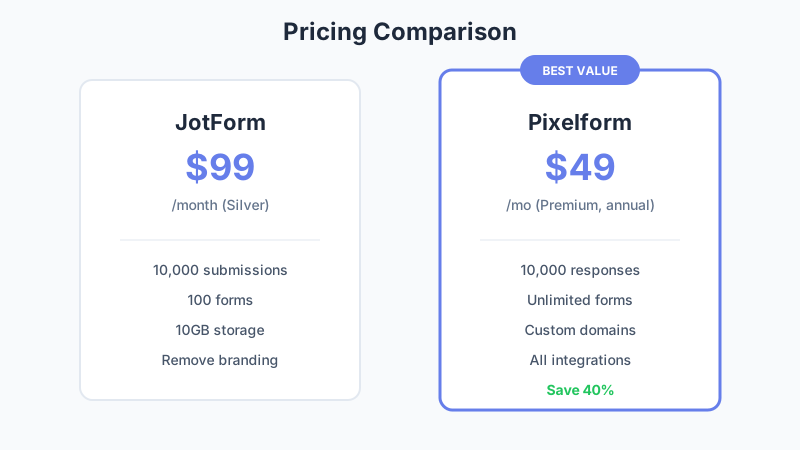
| Feature | JotForm Silver | Pixelform Premium |
|---|---|---|
| Monthly Price | $99 | $59 |
| Submissions/Month | 10,000 | 10,000 |
| Forms | 100 | Unlimited |
| Storage | 1GB | 10GB |
| Custom Domains | Extra Cost | Included |
| Remove Branding | Included | Included |
At comparable response volumes, Pixelform offers significant savings with unlimited forms and included custom domains, making it a compelling value proposition for growing businesses.
Feature-by-Feature Analysis
Form Builder Interface
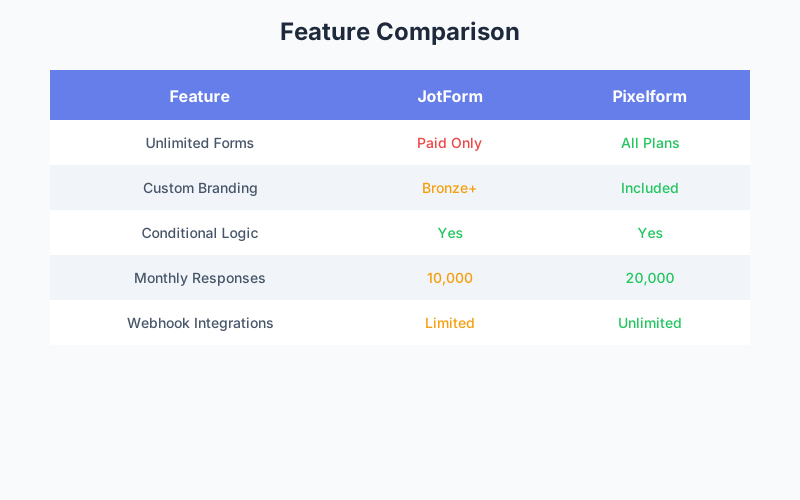
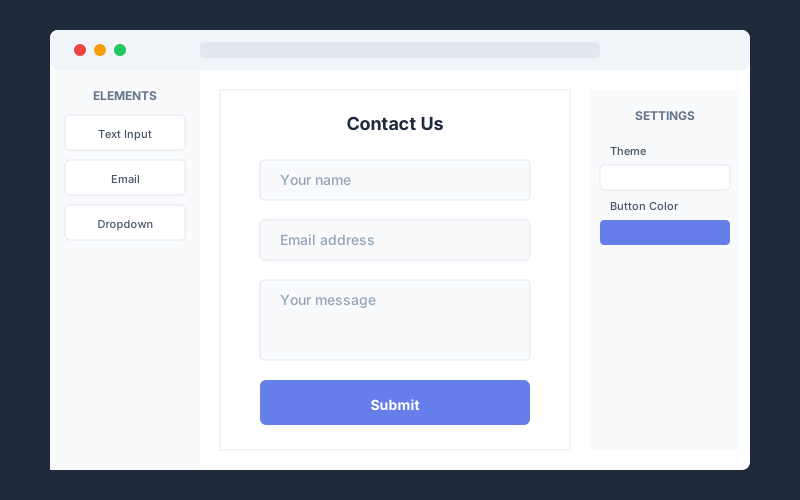
JotForm’s drag-and-drop builder offers hundreds of widgets but can feel cluttered. Pixelform takes a minimalist approach, focusing on the 20% of features that handle 80% of use cases. User testing data shows that new users create their first form 40% faster in Pixelform compared to JotForm.
Conditional Logic
Both platforms support conditional logic, but Pixelform’s implementation uses a visual flowchart approach that makes complex logic easier to understand and debug. JotForm’s rule-based system, while powerful, requires more technical knowledge.
Integrations
JotForm boasts 150+ integrations. Pixelform takes a different approach: webhooks send form data to any HTTP endpoint, allowing integration with any system. For users who want pre-built connections, webhook-based automation platforms like Zapier, Make, or n8n provide access to thousands of apps without native integration complexity.
Real-World Cost Analysis
Let’s calculate the 3-year total cost of ownership for a business receiving 8,000 form submissions monthly:
JotForm Silver Plan:
- Monthly cost: $99
- Annual cost: $1,188
- 3-year cost: $3,564
Pixelform Premium Plan:
- Monthly cost: $49 (billed annually)
- Annual cost: $588
- 3-year cost: $1,764
Pixelform Business Plan:
- Monthly cost: $119 (billed annually)
- Annual cost: $1,428
- 3-year cost: $4,284
- Includes 50,000 responses/month
The savings are substantial. Switching from JotForm to Pixelform’s Premium plan saves $1,440 over three years with comparable response limits. For higher volumes, Pixelform Business offers 50,000 responses/month.
Migration Guide: JotForm to Pixelform
Worried about the migration process? It’s simpler than you might think.
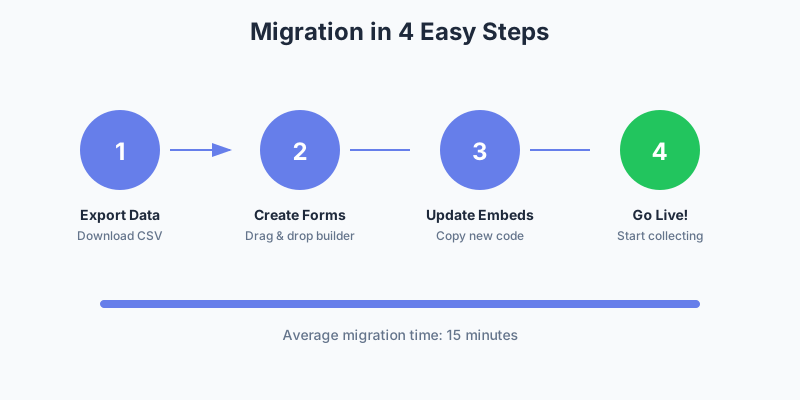
Step 1: Export Your JotForm Data
Navigate to your form in JotForm, click on “Submissions,” and export all responses as CSV. This preserves your historical data for reference or import.
Step 2: Recreate Your Forms in Pixelform
Pixelform’s template library includes common form types, making recreation fast. Most users report recreating their forms in 5-10 minutes each using the drag-and-drop builder.
Step 3: Update Embed Codes
Replace JotForm embed codes on your website with Pixelform’s embed snippets. Both platforms use similar iframe-based embedding, so the swap is straightforward.
Step 4: Set Up Integrations
Connect your preferred integrations in Pixelform. Webhooks can send data to any system, and email notifications can be configured in under 5 minutes.
Step 5: Test and Launch
Submit test entries to verify everything works correctly, then redirect any direct form links from JotForm to your new Pixelform URLs.
When JotForm Still Makes Sense
To be fair, JotForm remains a strong choice for specific use cases:
- Enterprise users needing HIPAA compliance and SSO
- Organizations heavily invested in JotForm’s specific integrations
- Users requiring JotForm’s extensive widget library for complex forms
- Teams already trained on JotForm’s interface
For small to medium businesses prioritizing value and simplicity, however, alternatives like Pixelform often prove more cost-effective.
Other JotForm Alternatives Worth Considering
While Pixelform offers the best value for most users, here are other alternatives worth evaluating:
Google Forms (Free)
Best for: Basic internal surveys where design doesn’t matter Limitations: Minimal customization, Google branding, limited integrations
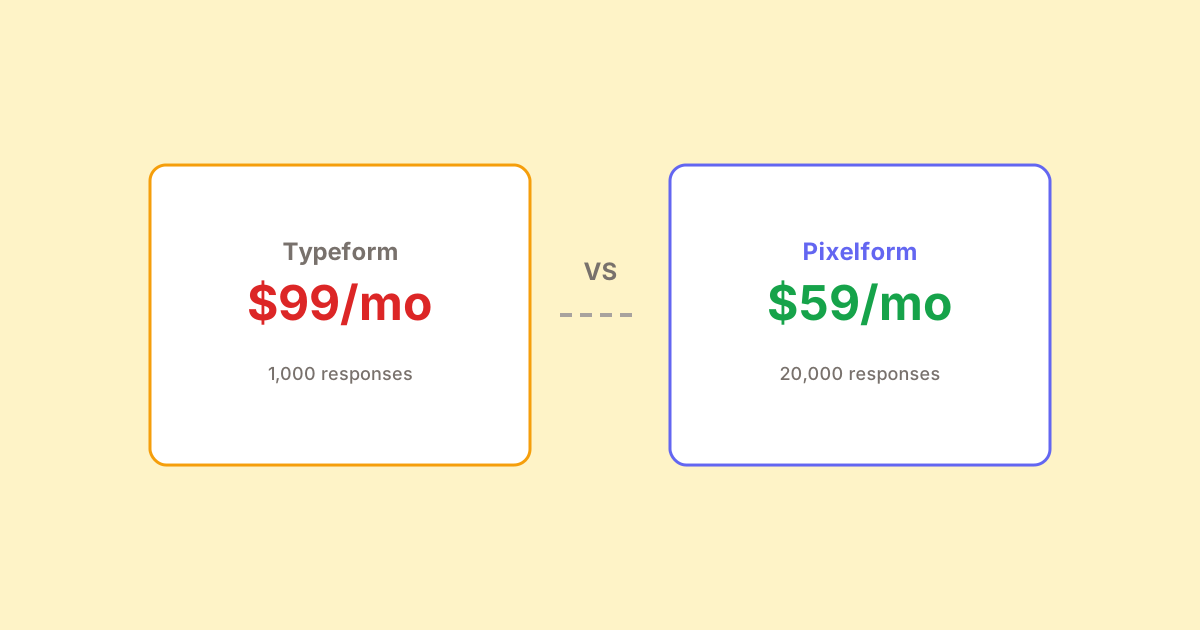
Typeform ($99/month)
Best for: Beautiful, conversational forms Limitations: Expensive per-response, limited to one-at-a-time format
Tally (Free tier available)
Best for: Solo creators with basic needs Limitations: Limited integrations, no file uploads on free plan
The Bottom Line
JotForm pioneered online form building, but the market has evolved. Modern alternatives like Pixelform deliver comparable functionality at significantly lower prices, with interfaces designed for today’s users rather than 2006.
Pixelform offers:
- Competitive response limits at lower monthly costs
- Unlimited forms on all paid plans
- Custom domains included at no extra charge
- Flexible subscription plans: Basic ($29/mo), Premium ($59/mo), Business ($149/mo)
Ready to make the switch?
Start your free Pixelform trial and experience the difference. Your first form can be live in under 5 minutes.
FAQ
Is Pixelform as reliable as JotForm?
Pixelform maintains 99.9% uptime with enterprise-grade infrastructure powered by Cloudflare’s global network. While JotForm has a longer track record, Pixelform’s modern architecture is built on proven cloud technologies that ensure reliability and scalability for businesses of all sizes.
Can I import my JotForm forms directly into Pixelform?
Currently, direct form import isn’t available, but most users recreate their forms in 5-10 minutes using Pixelform’s intuitive drag-and-drop builder. Response data can be exported from JotForm as CSV and stored for historical reference.
Does Pixelform support payment collection like JotForm?
Pixelform focuses on form building and data collection. For payment workflows, you can use webhooks to connect form submissions to your preferred payment processing system or use automation platforms to create payment flows.
What happens to my forms if I cancel Pixelform?
If you cancel, you’ll have 30 days to export your data. All form responses can be downloaded as CSV files. Pixelform’s flexible subscription plans make it easy to scale up or down as your needs change.
How does Pixelform handle GDPR compliance?
Pixelform is fully GDPR compliant with data processing agreements available, cookie consent options, data export capabilities, and the ability to delete individual responses. All data is stored securely on Cloudflare’s global infrastructure.