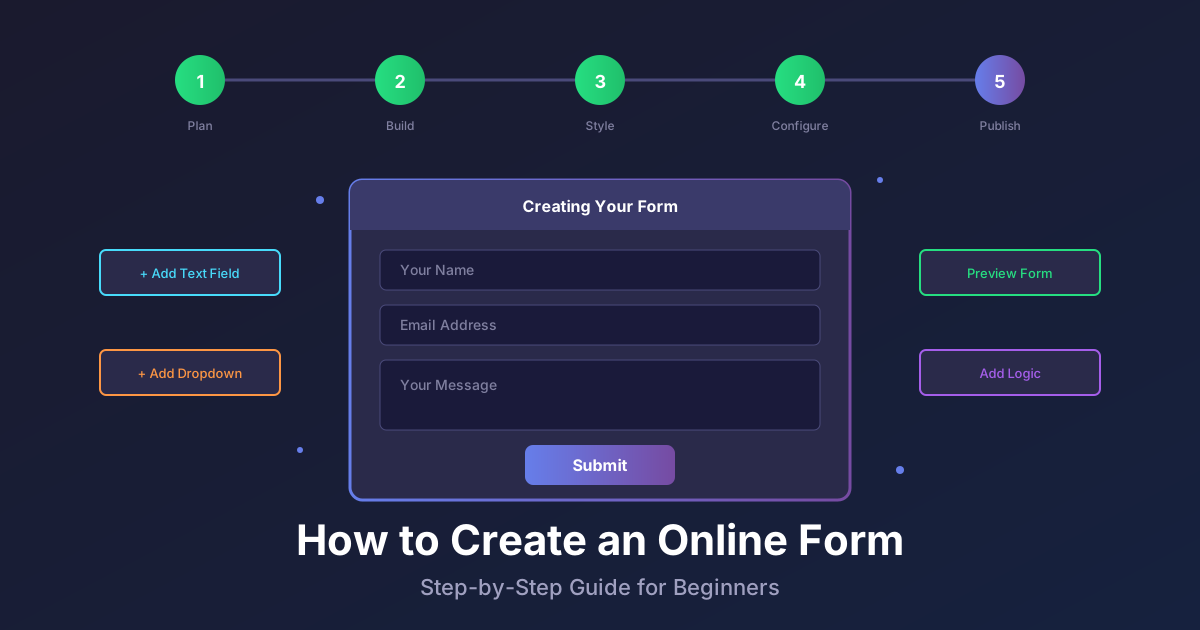
What is a Form Builder? The Complete Guide to Online Form Creation Tools
Key Takeaways
- A form builder is a software tool that lets you create online forms using a visual drag-and-drop interface without writing code
- Form builders handle everything from design to data collection, storage, and notifications automatically
- Common uses include contact forms, surveys, lead generation, registrations, and order forms
- Key features to look for include conditional logic, integrations, mobile responsiveness, and analytics
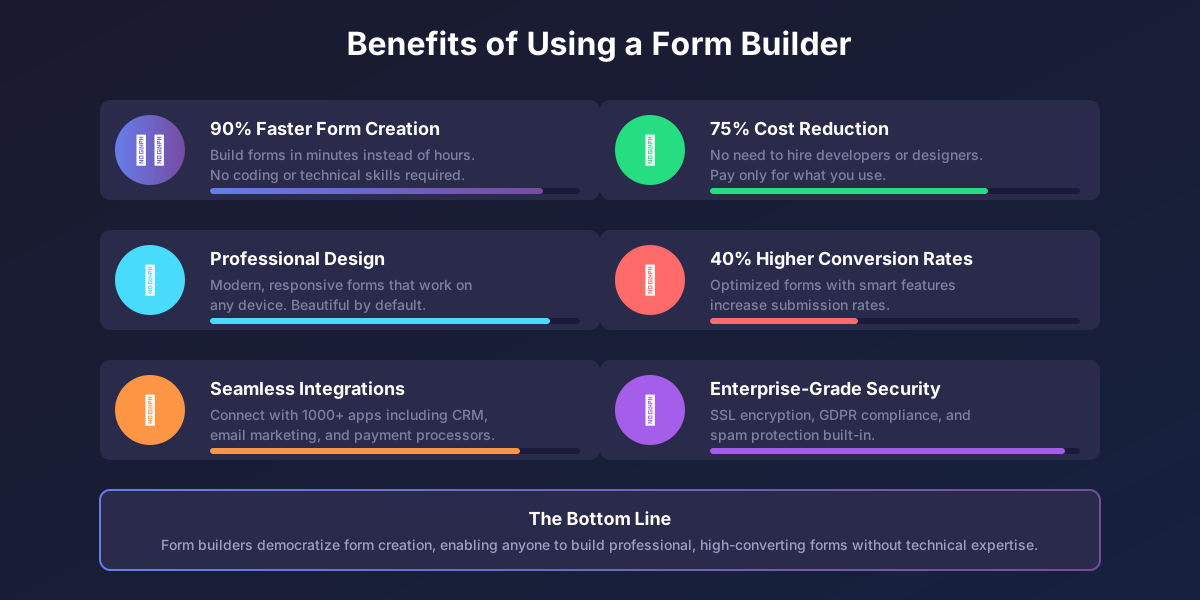
- Form builders save 90% of the time compared to coding forms manually
When someone asks “what is a form builder?” the simple answer is this: a form builder is a software tool that enables anyone to create professional online forms without writing a single line of code. But there is much more to understand about how these powerful tools work and why they have become essential for businesses of all sizes.
According to research from Forrester, organizations using form builders report 40% higher form completion rates compared to manually coded forms. This comprehensive guide answers every question you might have about form builders.
What Exactly is a Form Builder?
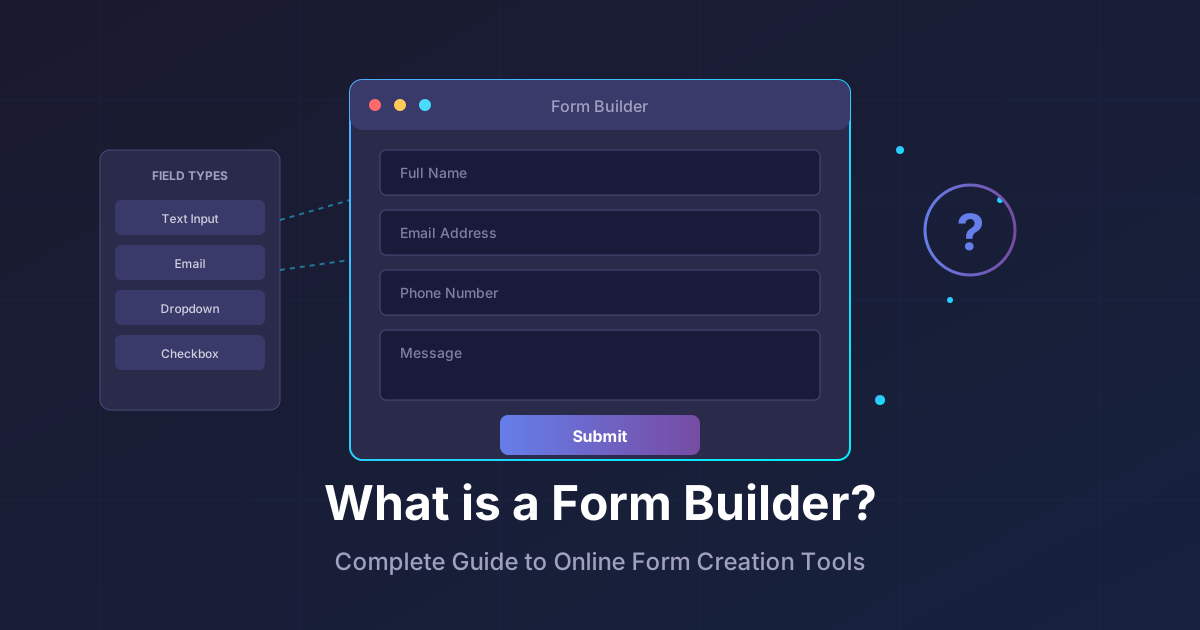
A form builder is a web-based or desktop application that provides a visual interface for creating online forms. Instead of writing HTML, CSS, and JavaScript code, you simply drag pre-built field components onto a canvas, customize their appearance, and publish your form.
Think of a form builder like a word processor for forms. Just as Microsoft Word eliminated the need to write documents in code, form builders eliminate the technical barriers to creating web forms.
The Core Components of a Form Builder
Every form builder consists of several key components working together:
Visual Editor: The drag-and-drop interface where you design your form layout and add fields. This is where you spend most of your time when building a form.
Field Library: A collection of pre-built field types like text inputs, dropdowns, checkboxes, file uploads, and more. Each field type comes with built-in validation and formatting.
Styling Tools: Options to customize colors, fonts, spacing, and branding to match your website or brand identity.
Logic Engine: The system that handles conditional logic, calculations, and field dependencies. This allows forms to adapt based on user responses.
Backend System: The infrastructure that receives submissions, stores data, sends notifications, and handles integrations with other tools.
How Does a Form Builder Work?
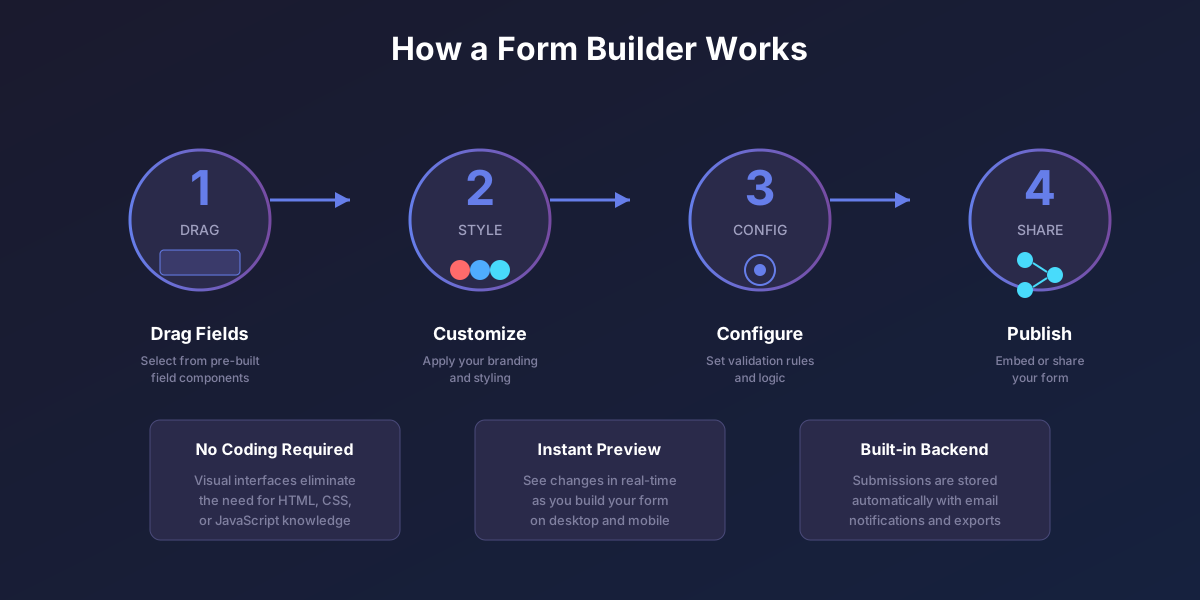
Understanding how form builders work helps you appreciate their value. Here is the typical workflow:
Step 1: Create Your Form
You start by either selecting a template or creating a form from scratch. Templates provide pre-configured forms for common use cases like contact forms, surveys, or registrations that you can customize.
When building from scratch, you drag field components from a library onto your form canvas. Common field types include:
- Text inputs for names, emails, and short answers
- Text areas for longer responses
- Dropdown menus for selecting from predefined options
- Radio buttons for single-choice questions
- Checkboxes for multiple selections
- Date and time pickers
- File upload fields
- Rating scales and star ratings
- Electronic signature fields
Step 2: Configure Field Settings
Each field has configurable settings. You can set whether a field is required, add placeholder text, create validation rules, and customize the appearance. For example, an email field automatically validates that responses contain a properly formatted email address.
Step 3: Add Logic and Conditions
Modern form builders let you add conditional logic. This means you can show or hide fields based on previous answers, skip questions that are not relevant, or route users to different sections of your form. This creates a personalized experience for each respondent.
Step 4: Style and Brand Your Form
Customize the visual appearance to match your brand. Change colors, fonts, add your logo, and adjust spacing. Many form builders offer theme templates to quickly apply professional designs.
Step 5: Publish and Share
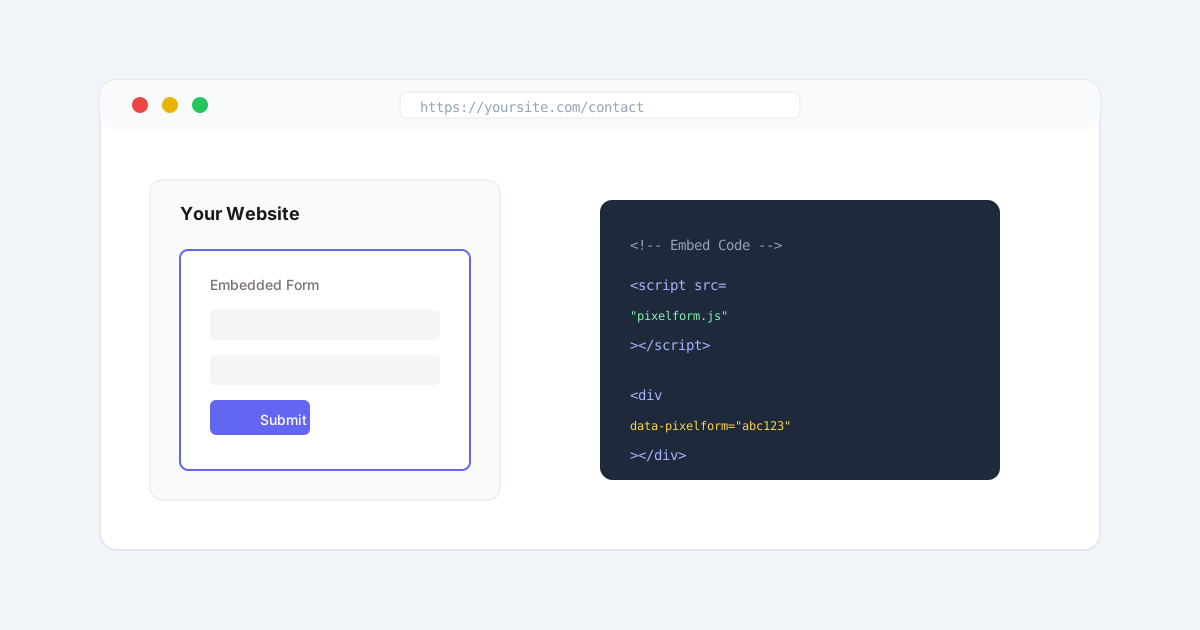
Once your form is ready, you publish it and receive a shareable link. You can also embed the form directly on your website using provided embed codes. Most form builders generate responsive forms that work perfectly on mobile devices.
Step 6: Collect and Manage Responses
As people submit your form, responses are automatically collected and organized. You receive notifications, can view submissions in a dashboard, export data to spreadsheets, and connect to other tools via integrations.
What Are Form Builders Used For?
Form builders serve countless purposes across industries. Here are the most common use cases:
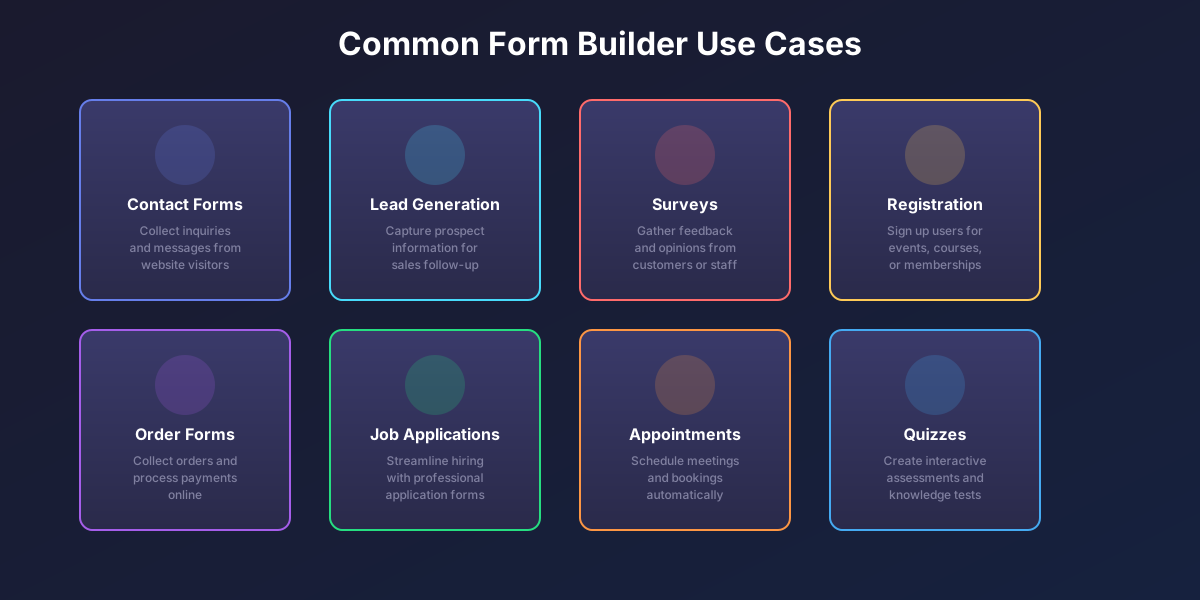
Contact Forms
The most basic use case. Contact forms let website visitors send messages, inquiries, or feedback directly to your inbox. Form builders make it easy to create professional contact forms in minutes.
Lead Generation Forms
Marketing teams use form builders to capture leads on landing pages. These forms typically collect name, email, company, and qualifying information to identify potential customers.
Surveys and Feedback
Gathering customer feedback, conducting market research, or measuring employee satisfaction all require survey forms. Form builders provide specialized question types like rating scales, NPS scores, and matrix questions.
Registration and Signup
Events, courses, memberships, and newsletters all need registration forms. Form builders handle collecting attendee information, sending confirmations, and managing registrations.
Order and Payment Forms
Many form builders integrate with payment processors like Stripe or PayPal, enabling you to create order forms that accept payments directly.
Job Applications
HR departments use form builders for job applications, collecting resumes, work history, and candidate information in a structured format.
Appointment Scheduling
Service businesses create booking forms that let customers schedule appointments, select services, and provide necessary information before their visit.
Quizzes and Assessments
Educational institutions and businesses use form builders to create quizzes with automatic scoring, knowledge assessments, and interactive content.
What Features Do Form Builders Offer?
Understanding the key features helps you evaluate which form builder best fits your needs.

Drag-and-Drop Interface
The defining feature of any form builder. A visual canvas where you arrange fields by dragging and dropping them into position. No coding required.
Pre-Built Templates
Ready-made form templates for common use cases save time and provide professionally designed starting points. Most form builders offer hundreds of templates.
Conditional Logic
Show or hide fields based on previous answers. Create branching paths that personalize the form experience. Skip irrelevant questions automatically.
Field Validation
Ensure data quality with built-in validation rules. Email fields check for valid email formats. Phone fields enforce number formats. Required fields prevent empty submissions.
File Uploads
Let respondents upload documents, images, or other files. Form builders handle file storage, size limits, and accepted file types.
Integrations
Connect your forms to other tools you use. Popular integrations include:
- CRM systems like Salesforce and HubSpot
- Email marketing platforms like Mailchimp and ConvertKit
- Spreadsheets like Google Sheets and Excel
- Payment processors like Stripe and PayPal
- Automation tools like Zapier and Make
Mobile Responsiveness
Forms automatically adapt to work on any device, from desktop computers to smartphones. No separate mobile design required.
Analytics and Reporting
Track form performance with built-in analytics. See submission rates, completion times, abandonment points, and conversion data.
Email Notifications
Receive instant email notifications when someone submits your form. Configure what information appears in notifications and who receives them.
Data Export
Export submission data to CSV, Excel, or PDF formats for analysis or record-keeping.
What Are the Benefits of Using a Form Builder?
Why do millions of businesses choose form builders over coding forms manually? The benefits are substantial.
Massive Time Savings
Creating a contact form from scratch with HTML, CSS, JavaScript, and backend code takes hours or days. A form builder accomplishes the same result in minutes. This represents a 90% or greater time savings.
No Technical Skills Required
Anyone can use a form builder regardless of technical background. Marketing teams, HR departments, small business owners, and educators all create professional forms without involving developers.
Professional Quality Results
Form builders incorporate design best practices automatically. Your forms look polished and professional without hiring a designer.
Built-In Data Management
No need to set up databases, servers, or storage. Form builders handle all data management automatically, including backups and security.
Higher Conversion Rates
Forms built with form builders typically convert better because they incorporate UX best practices like mobile responsiveness, clear labeling, and optimized layouts.
Continuous Improvements
Form builder companies continuously add new features, fix bugs, and improve security. You benefit from ongoing enhancements without effort.
Cost Effective
Even paid form builders cost far less than hiring developers to build custom forms. Free plans often suffice for basic needs.
What Types of Form Builders Exist?
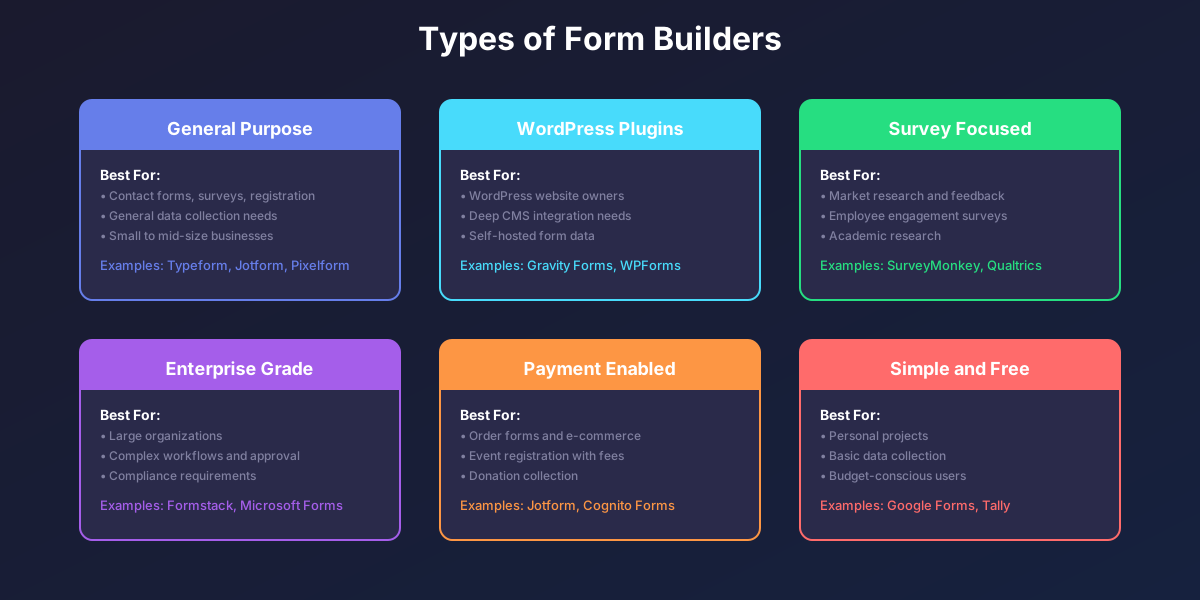
Form builders come in several categories, each suited to different needs.
General Purpose Form Builders
These versatile platforms handle any type of form. They offer broad feature sets and work with any website. Examples include Typeform, Jotform, Tally, and Pixelform.
WordPress Form Plugins
Designed specifically for WordPress websites. They integrate deeply with WordPress features and store data in your WordPress database. Examples include Gravity Forms, WPForms, and Ninja Forms.
Survey-Focused Platforms
Specialized for research and feedback collection. They offer advanced survey features like skip logic, randomization, and statistical analysis. Examples include SurveyMonkey, Qualtrics, and Typeform.
Enterprise Form Builders
Built for large organizations with complex needs. They offer advanced workflows, approvals, compliance features, and enterprise security. Examples include Formstack, Microsoft Forms, and Adobe Experience Manager Forms.
Payment-Enabled Form Builders
Focus on order forms and payment collection. They include robust payment integrations and e-commerce features. Examples include Jotform, Cognito Forms, and Wufoo.
Simple Free Form Builders
Basic tools for straightforward data collection. Limited features but completely free. Examples include Google Forms and Tally.
How Do You Choose the Right Form Builder?
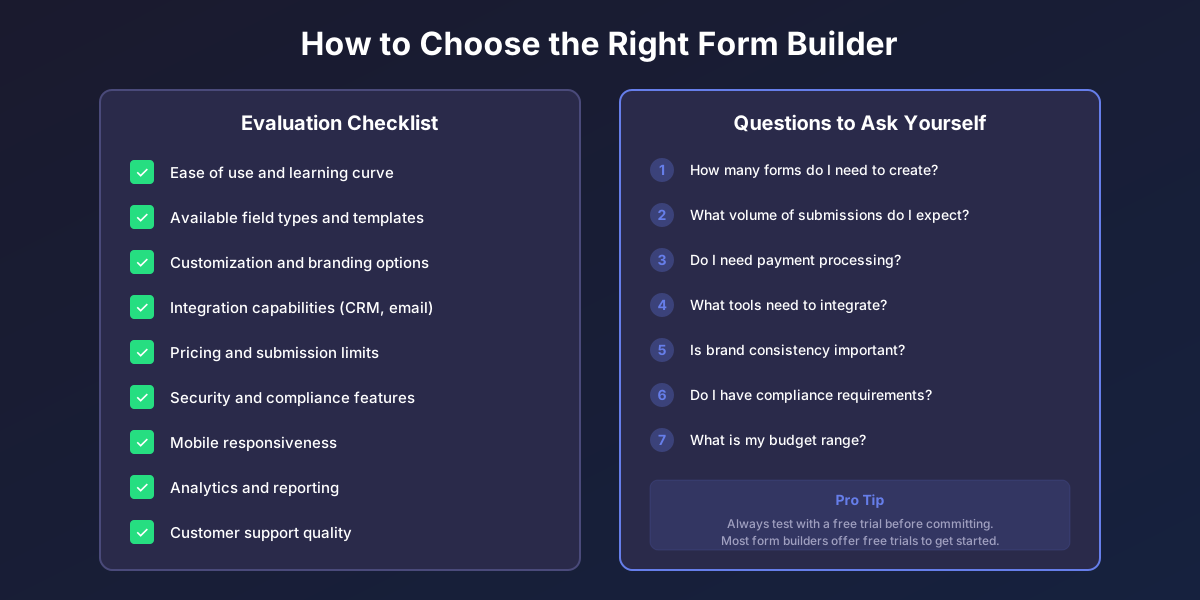
Selecting the best form builder requires evaluating your specific needs against available options.
Consider Your Use Case
What types of forms will you create? A simple contact form has different requirements than a complex multi-page application with payment processing.
Evaluate the Learning Curve
How easy is it to get started? Look for intuitive interfaces and good documentation. Most form builders offer free trials so you can test before committing.
Check Integration Options
What other tools do you use? Make sure the form builder integrates with your CRM, email marketing platform, or other essential software.
Review Pricing and Limits
Form builders price based on features, form counts, and submission volumes. Understand what limits apply and how pricing scales as you grow.
Assess Mobile Experience
Test how forms look and function on mobile devices. With over half of web traffic coming from mobile, this is critical.
Verify Security and Compliance
If you handle sensitive data, ensure the form builder meets your security and compliance requirements. Look for SSL encryption, GDPR compliance, and industry-specific certifications like HIPAA.
Examine Customization Options
Can you match your brand? Check what design customization is available for colors, fonts, and layouts.
What is the Difference Between a Form Builder and Coding Forms?
This common question deserves a clear answer. Here is how form builders compare to custom-coded forms:
Speed
Form builders create forms in minutes. Custom coding takes hours or days for similar results.
Technical Requirements
Form builders require no coding knowledge. Custom forms require proficiency in HTML, CSS, JavaScript, and backend languages.
Features
Form builders include features like conditional logic, integrations, and analytics built-in. Custom forms require coding each feature from scratch.
Maintenance
Form builders handle updates, security patches, and improvements automatically. Custom forms require ongoing developer maintenance.
Cost
Form builders charge subscription fees but eliminate developer costs. Custom forms have no subscription but require expensive developer time.
Flexibility
Custom forms offer unlimited flexibility since you write the code. Form builders are limited to available features, though most cover common needs comprehensively.
When to Choose Each
Choose a form builder for most business needs. Choose custom coding only when you need highly specialized functionality that no form builder provides, or when you have specific technical requirements like self-hosting all data.
What Makes a Good Form Builder?
Based on extensive evaluation of form builders, here are the qualities that separate good form builders from mediocre ones:
Intuitive Interface
The best form builders feel effortless to use. You should be able to create a basic form in under five minutes without reading documentation.
Robust Field Types
Look for comprehensive field libraries including specialized fields like ratings, file uploads, signatures, and calculations.
Powerful Conditional Logic
Advanced conditional logic lets you create dynamic, personalized form experiences. The best form builders make complex logic easy to configure visually.
Reliable Performance
Forms must load quickly and work reliably. Server outages or slow performance hurt conversion rates and user experience.
Strong Security
Data protection is paramount. Look for SSL encryption, secure data storage, and compliance certifications relevant to your industry.
Quality Integrations
Integrations should work reliably and offer flexibility. Native integrations are typically more robust than relying solely on third-party automation tools.
Fair Pricing
Pricing should align with value delivered. Watch out for hidden costs like charges per submission or limitations on form features.
Responsive Support
When issues arise, you need help fast. Evaluate support options including documentation, chat, and response times.
FAQ
What is the easiest form builder to use?
The easiest form builders feature intuitive drag-and-drop interfaces with minimal learning curves. Google Forms is extremely simple for basic needs. Tally offers simplicity with more features. Pixelform balances ease of use with professional capabilities. The best choice depends on your specific requirements, but most modern form builders can be learned in under an hour.
Are form builders free?
Many form builders offer free plans with limitations. Google Forms is completely free with unlimited forms and responses. Tally offers a generous free tier. Premium form builders like Typeform and Jotform offer limited free plans, while Pixelform focuses on paid plans starting at $29/month with all features included from day one.
Can form builders collect payments?
Yes, many form builders integrate with payment processors like Stripe, PayPal, and Square. This enables you to create order forms, collect donations, sell products, or accept registration fees directly through your forms. Payment processing typically requires a paid plan and you will pay standard payment processing fees.
Do form builders work on mobile devices?
Modern form builders create responsive forms that automatically adapt to any screen size. Forms work on smartphones, tablets, and desktop computers without requiring separate mobile versions. Always test your forms on mobile devices before publishing to ensure the best experience.
How secure are form builders?
Reputable form builders implement enterprise-grade security including SSL encryption for data transmission, encrypted data storage, regular security audits, and compliance with regulations like GDPR. For sensitive data like health information, look for form builders with specific compliance certifications like HIPAA.
Can I embed form builder forms on my website?
Yes, all major form builders provide embed codes to add forms directly to your website. Most offer multiple embed options including inline embedding, popup forms, and full-page forms. The embed code is typically a simple snippet you paste into your website’s HTML.
What happens to my data if I cancel my form builder subscription?
Before canceling, export all your submission data. Most form builders let you download data as CSV or Excel files. After cancellation, your forms typically stop working and data may be deleted after a retention period. Always review the specific data retention policy before canceling.
Can multiple people work on forms together?
Many form builders offer team collaboration features on paid plans. Multiple team members can create and edit forms, view submissions, and manage settings. Enterprise plans typically include advanced permission controls and audit logs.
How do form builders compare to Google Forms?
Google Forms is excellent for simple, free form creation. It integrates with Google Sheets and requires no paid subscription. However, it lacks advanced features like conditional logic, custom branding, payment processing, and sophisticated integrations that dedicated form builders provide. For professional or business use, dedicated form builders offer significantly more capability.
What is conditional logic in form builders?
Conditional logic lets you show or hide questions based on previous answers. For example, if someone selects “Yes” to a question, you can reveal follow-up questions. If they select “No,” those questions stay hidden. This creates shorter, more relevant forms that adapt to each respondent.
Ready to experience the power of modern form building? Create your first form with Pixelform and see how easy professional form creation can be.