Conversational Forms: The Future of Data Collection
Key Takeaways
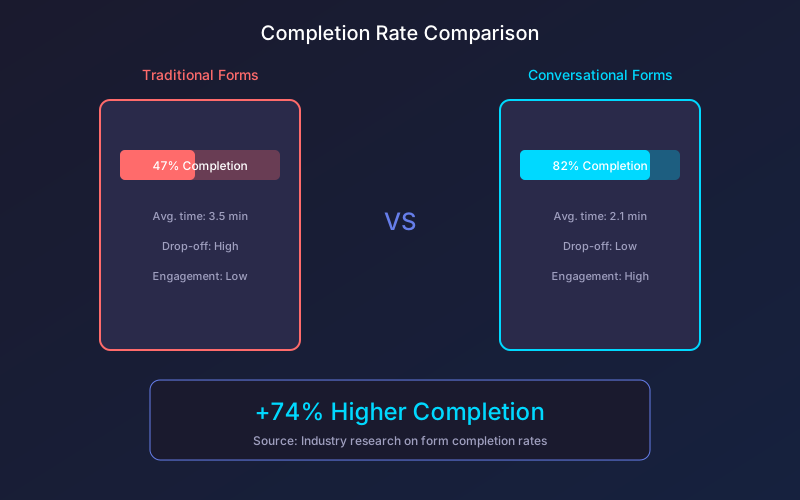
- Conversational forms achieve up to 74% higher completion rates than traditional static forms
- One-question-at-a-time interfaces reduce cognitive load and form abandonment significantly
- Chat-like interactions feel more personal and engaging, building trust with respondents
- Modern conversational forms adapt dynamically based on user responses for personalized experiences
The future of online forms looks nothing like the static, multi-field layouts we have used for decades. Conversational forms are transforming data collection by replacing intimidating walls of input fields with friendly, chat-like interactions that feel natural and engaging.
According to research by Forrester, conversational interfaces will become the primary method of customer interaction for 70% of organizations by 2027. Forms are no exception to this trend.
What Are Conversational Forms?
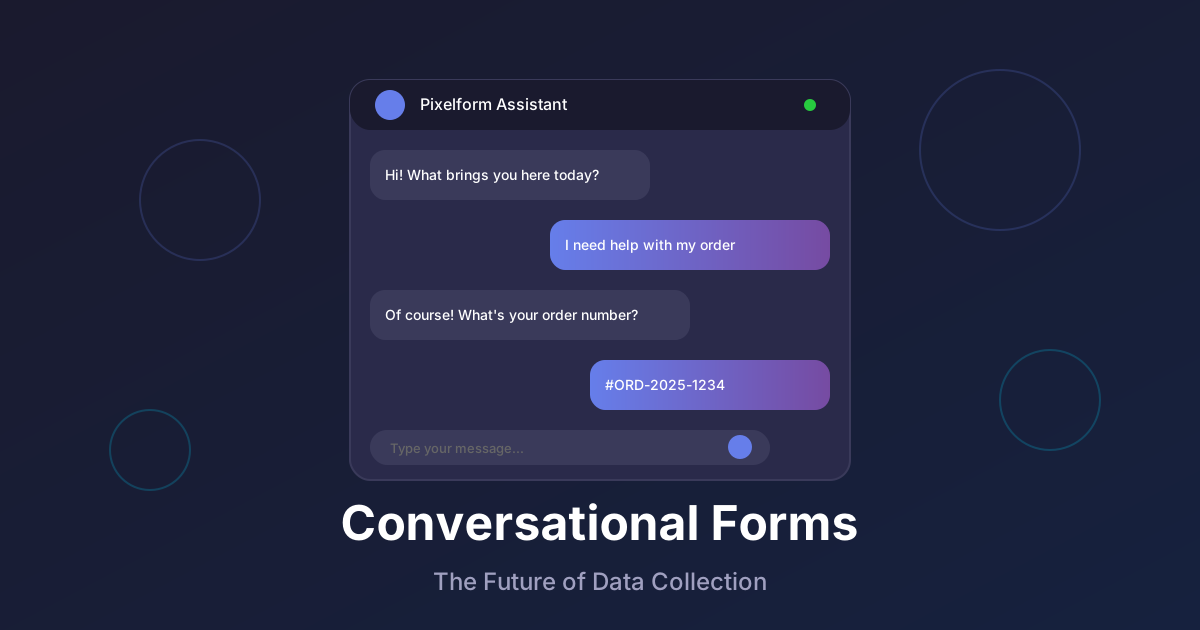
Conversational forms replace traditional form layouts with interactive, dialogue-based experiences. Instead of presenting all questions at once, they ask one question at a time in a chat-like format, guiding users through the data collection process naturally.
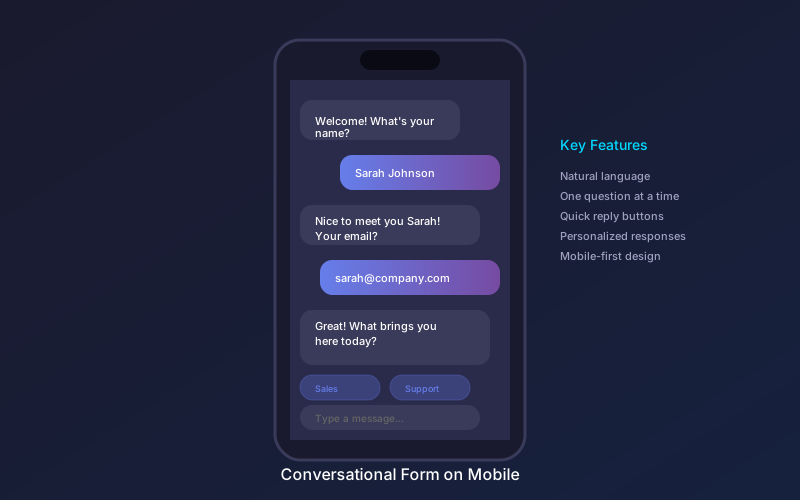
Key characteristics of conversational forms include:
- Sequential questioning: One question appears at a time, keeping focus sharp
- Natural language: Questions are phrased conversationally, not as field labels
- Dynamic responses: The form acknowledges answers and provides context
- Adaptive flow: Questions change based on previous responses
- Quick reply options: Clickable buttons reduce typing effort
This approach transforms form filling from a chore into a conversation, dramatically improving the user experience and data quality.
The Psychology Behind Conversational Forms
Traditional forms trigger several psychological barriers that hurt completion rates:
Cognitive Overload
Seeing 10 or 15 fields at once creates mental fatigue before users even start. Research from the Baymard Institute shows that complex forms increase abandonment by up to 53%.
Conversational forms eliminate this by showing only one question at a time. Users focus entirely on the current question without worrying about what comes next.
Commitment Escalation
When users answer one simple question, they become psychologically committed to continuing. Each answer is a micro-commitment that builds momentum toward completion.
This mirrors Robert Cialdini’s principle of commitment and consistency from his research on influence and persuasion. Starting small makes people more likely to follow through.
Social Proof and Reciprocity
Conversational forms can incorporate elements that trigger social proof and reciprocity. Personalized responses like “Great choice, Sarah!” create a sense of human interaction that motivates continued engagement.

Conversational Forms vs Traditional Forms: The Data
The performance differences between conversational and traditional forms are significant and consistent across industries.
Completion Rates
Industry benchmarks show dramatic improvements:
| Form Type | Traditional | Conversational | Improvement |
|---|---|---|---|
| Lead generation | 42% | 73% | +74% |
| Survey forms | 35% | 62% | +77% |
| Contact forms | 48% | 78% | +63% |
| Registration | 51% | 81% | +59% |
Source: Form analytics aggregated from SaaS industry reports 2024
Time to Completion
Despite asking the same questions, conversational forms typically complete faster:
- Traditional 10-field form: Average 3.5 minutes
- Conversational 10-question form: Average 2.1 minutes
The reduction comes from eliminated decision paralysis and clearer focus on each question.
Data Quality
Conversational forms also improve response quality:
- 34% fewer incomplete or invalid responses
- 28% more detailed open-ended answers
- 41% higher satisfaction scores from respondents
Core Components of Effective Conversational Forms
Building conversational forms that maximize engagement requires attention to several key elements:
Natural Language Questions
Traditional form: “First Name *” Conversational form: “What should I call you?”
The conversational version feels personal and friendly rather than transactional. Small wording changes significantly impact response rates.
Contextual Acknowledgments
After each answer, acknowledge the response before moving on:
- “Nice to meet you, [name]!”
- “Great, I’ve got that noted.”
- “Thanks for sharing that information.”
These micro-interactions maintain conversational flow and confirm that responses are being recorded.
Smart Branching Logic
Conversational forms excel at dynamic question paths:
User selects “Enterprise” company size Next question: “How many team members will use the platform?”
User selects “Startup” company size Next question: “What’s your primary use case?”
Each path feels natural because irrelevant questions never appear.
Progress Indicators
While showing one question at a time, provide context about overall progress. Progress bars or “Question 3 of 8” indicators maintain orientation without overwhelming.
Quick Reply Buttons
For predictable answers, provide clickable options:
“What’s your biggest challenge?”
- [Lead Generation]
- [Customer Retention]
- [Scaling Operations]
- [Something else]
Quick replies reduce typing effort and accelerate completion.
Technical Implementation Approaches
Several approaches exist for implementing conversational forms:
Chat Widget Integration
Embed a chat-style widget on your website that walks users through questions. This approach works well for lead capture and support intake forms.
Advantages:
- Familiar chat interface
- Easy integration with live chat tools
- Mobile-friendly by default
Full-Page Conversational Experience
Dedicated landing pages where the entire screen focuses on the conversational form. This creates an immersive experience ideal for surveys and complex data collection.
Advantages:
- Maximum user focus
- Rich media support
- Higher engagement for longer forms
Hybrid Approaches
Combine conversational elements with traditional form sections. Start with a conversational welcome flow, then transition to grouped fields for efficiency where appropriate.
Advantages:
- Balance engagement with efficiency
- Works for complex multi-step processes
- Flexible for different user preferences
Use Cases for Conversational Forms
Conversational forms excel in specific scenarios:
Lead Qualification
Instead of generic contact forms, conversational lead capture:
- Qualifies prospects through intelligent questioning
- Gathers budget and timeline information naturally
- Routes leads to appropriate sales resources
- Provides immediate value through personalized responses
Customer Onboarding
Guide new customers through setup processes:
- Collect preferences and requirements conversationally
- Reduce overwhelm during initial configuration
- Build relationship from the first interaction
- Gather data needed for personalization
Survey and Feedback Collection
Transform boring surveys into engaging conversations:
- Higher response rates for customer satisfaction surveys
- More detailed feedback in open-ended questions
- Reduced survey fatigue for frequent respondents
- Real-time sentiment analysis during collection
Event Registration
Create memorable registration experiences:
- Build excitement through conversational tone
- Collect dietary, accessibility, and preference information naturally
- Upsell related events or add-ons contextually
- Confirm details and set expectations
Job Applications
Make applying less intimidating:
- Guide candidates through required information step by step
- Collect portfolio or work samples naturally
- Assess communication skills through interaction quality
- Create positive employer brand impressions
Best Practices for Conversational Form Design
Start with a Warm Welcome
Open with friendly, contextual greetings:
“Hi there! I’m here to help you get started with [Company]. This will only take about 2 minutes.”
Setting expectations upfront reduces abandonment.
Keep Individual Questions Focused
Each question should have a single, clear purpose. Avoid compound questions that try to collect multiple pieces of information at once.
Poor: “What’s your name and email address?” Better: Two separate questions for name, then email
Use Typing Indicators
When the form is “thinking” or generating the next question, show typing indicators (the ”…” animation). This maintains the conversational illusion and manages expectations.
Handle Errors Gracefully
When validation fails, respond conversationally:
Instead of: “Invalid email format” Try: “Hmm, that doesn’t look like an email address. Could you double-check it?”
Provide Escape Hatches
Some users prefer traditional forms. Offer a “View all questions” option for those who want to see everything upfront.
Optimize for Mobile
Conversational forms are naturally mobile-friendly, but ensure:
- Touch targets are large enough for easy tapping
- Keyboard types match input expectations
- Scrolling is smooth between questions
- Quick reply buttons are easily accessible
Measuring Conversational Form Success
Track these metrics to optimize your conversational forms:
Engagement Metrics
- Start rate: Percentage of visitors who begin the form
- Message engagement: Time spent on each question
- Quick reply usage: Ratio of button clicks to typed responses
Completion Metrics
- Completion rate: Percentage who finish the form
- Drop-off points: Where users abandon the conversation
- Average time to complete: Total duration of form interaction
Quality Metrics
- Response completeness: Percentage of optional questions answered
- Response depth: Length and quality of open-ended answers
- Validation error rate: Frequency of input corrections needed
Business Metrics
- Lead quality scores: How well-qualified are generated leads
- Conversion to next step: Demo bookings, purchases, signups
- Customer satisfaction: Post-form experience ratings
Advanced Conversational Form Techniques
Beyond the basics, sophisticated conversational forms employ advanced techniques for maximum effectiveness:
Personality and Tone Matching
Different audiences respond to different conversational styles:
Professional B2B: “Let’s discuss your business requirements. What industry does your organization operate in?”
Consumer-Friendly: “Hey! Let’s get you set up quickly. First up, what should we call you?”
Technical Audiences: “Starting environment configuration. Which primary programming language will you use?”
Match your conversational form’s personality to your brand voice and target audience expectations.
Intelligent Response Parsing
Advanced conversational forms extract meaning from natural responses:
User types: “I’m Sarah and my email is sarah at company dot com” Form captures: Name = Sarah, Email = sarah@company.com
Natural language understanding enables flexible input while maintaining structured data collection.
Context-Aware Follow-ups
Use previous answers to inform subsequent questions:
After learning someone works in healthcare: “Since you’re in healthcare, do you need HIPAA compliance features?”
This contextual relevance increases engagement and demonstrates attentiveness.
Graceful Conversation Recovery
When users go off-script, recover smoothly:
User: “Actually, can I go back and change my email?” Form: “Of course! Your current email is john@example.com. What would you like to change it to?”
Flexibility in conversation flow reduces frustration and abandonment.
The Future of Conversational Data Collection
Conversational forms continue evolving with advancing technology:
AI-Powered Conversations
Natural language understanding will enable truly freeform conversations where users can express themselves naturally, with AI extracting structured data from unstructured responses. Instead of predefined questions, AI will guide open-ended discussions and parse responses intelligently.
According to Gartner predictions, by 2027, 50% of knowledge workers will use AI-augmented conversational interfaces daily, fundamentally changing how we interact with digital systems.
Voice-First Conversational Forms
As voice interfaces mature, conversational forms will extend beyond text to voice interactions, enabling hands-free data collection in new contexts. Voice conversational forms will support:
- Smart speaker form completion
- In-car data collection during commutes
- Accessibility for users with motor impairments
- Multitasking scenarios where typing is impractical
Emotional Intelligence
Sentiment analysis will enable forms to detect user frustration or confusion and adapt in real-time. If a user seems confused, the form might:
- Offer additional explanation
- Simplify the current question
- Provide a help option
- Adjust pacing and tone
This emotional awareness will dramatically reduce abandonment from frustrated users.
Predictive Completion
AI will anticipate responses based on patterns, offering intelligent suggestions that users can confirm rather than type from scratch. For returning users or those matching known profiles, the form might suggest:
- Likely answers based on similar users
- Pre-filled values from previous interactions
- Smart defaults that match behavioral signals
Cross-Platform Continuity
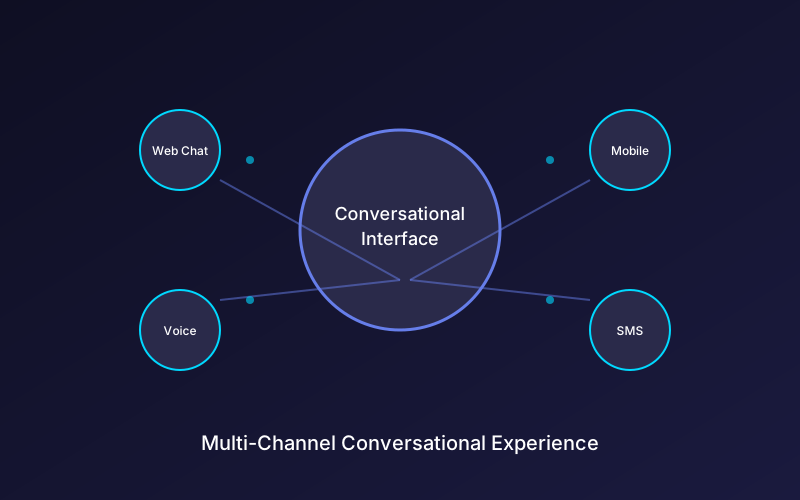
Conversational forms will maintain context across devices and channels. Start a conversation on mobile, continue on desktop, finish via SMS. The form remembers where you left off and adapts to each platform’s strengths.
FAQ
Do conversational forms work for all types of data collection?
Conversational forms excel for lead generation, surveys, feedback collection, and any scenario where engagement matters. For purely transactional forms like payment processing or complex technical configurations, hybrid approaches often work better, combining conversational elements with efficient grouped fields.
How long should a conversational form be?
The optimal length depends on context and value proposition. For lead capture, five to eight questions typically perform best. For surveys or detailed data collection, conversational formats can sustain engagement for twenty or more questions since the one-at-a-time approach reduces fatigue significantly.
Can conversational forms integrate with my existing tools?
Yes, modern conversational form platforms integrate with CRMs, marketing automation tools, analytics platforms, and custom APIs. Data collected conversationally flows into your existing systems just like traditional form submissions would.
Are conversational forms accessible for users with disabilities?
Well-designed conversational forms can be highly accessible. Screen readers work well with sequential content, keyboard navigation is straightforward, and the reduced cognitive load benefits many users. Ensure your implementation follows WCAG guidelines for interactive content.
How do I handle users who prefer traditional forms?
Offer alternatives when possible. A “View all questions” option or link to a traditional form version accommodates different preferences. Analytics will show which approach performs better with your specific audience.
Ready to transform your data collection with engaging conversational experiences? Create your first conversational form with Pixelform and watch completion rates soar.