Form Conversion Optimization: 20 Proven Techniques to Boost Submissions
Key Takeaways
- Reducing form fields from 11 to 4 can increase conversions by up to 120% according to conversion research
- Multi-step forms outperform single long forms by up to 300% when implemented correctly
- Inline validation improves completion rates by 22% while reducing user frustration
- Mobile-optimized forms see 67% higher completion rates on touch devices
Form conversion optimization is the systematic process of improving every element of your forms to maximize submissions. Whether you’re collecting leads, processing signups, or gathering feedback, these 20 techniques will transform your conversion rates.
Why Form Conversion Optimization Matters
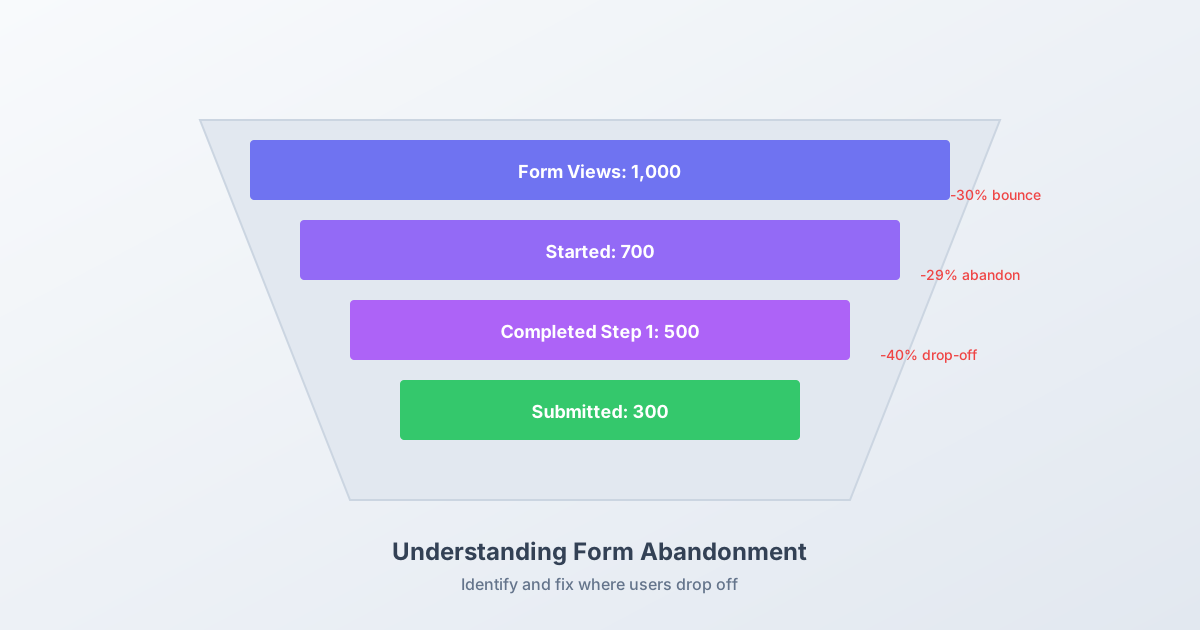
According to Baymard Institute research, the average cart abandonment rate is 70.19%, with poor form design being a primary contributor. For lead generation forms, abandonment rates range from 30% to 80% depending on industry and form complexity.
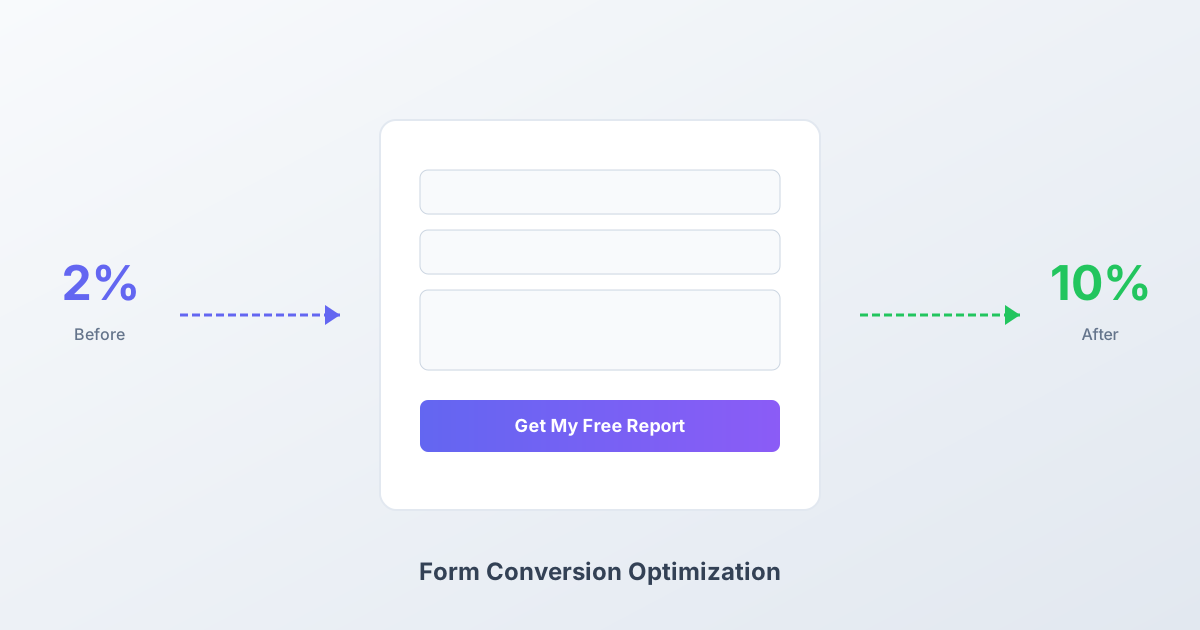
The math is simple: if you’re getting 1,000 visitors to your form and converting at 5%, that’s 50 submissions. Improve to 10% and you’ve doubled results without increasing traffic.
Every percentage point improvement directly impacts your business outcomes.
Technique 1: Ruthlessly Eliminate Unnecessary Fields
The data: Imagescape increased conversions by 120% simply by reducing fields from 11 to 4.
Each additional field creates friction. Before adding any field, ask: “Will this information directly help us serve this person better, right now?”
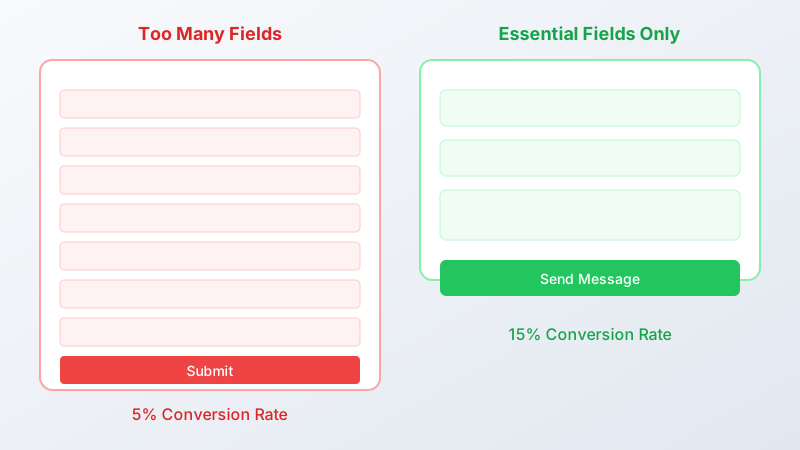
Fields you can often eliminate:
- Company name (derive from email domain)
- Phone number (unless critical for sales process)
- How did you hear about us? (use UTM parameters instead)
- Anything marked “optional”
Rule of thumb: If a field is optional, remove it entirely.
Technique 2: Implement Multi-Step Forms
The data: According to HubSpot research, multi-step forms can boost conversions by up to 300% compared to single-page equivalents.
Multi-step forms work because they:
- Reduce perceived effort (each step looks manageable)
- Leverage the commitment principle (once started, users tend to finish)
- Allow logical grouping of questions
- Provide progress indicators that motivate completion
Best structure:
- Step 1: Easy questions (name, email) - 2 fields max
- Step 2: Qualifying information - 3 fields max
- Step 3: Final details - 2-3 fields max
Technique 3: Optimize Your CTA Button
Your submit button is the most critical element. Nielsen Norman Group research shows that specific, value-oriented button text significantly outperforms generic alternatives.
Replace generic text:
| Instead of… | Try… |
|---|---|
| Submit | Get My Free Report |
| Send | Start My Free Trial |
| Continue | See My Results |
| Next | Unlock Access |
Button design best practices:
- Use contrasting colors (3:1 contrast ratio minimum)
- Minimum 44px height for touch targets
- Full-width on mobile devices
- Position below form fields, not beside them
Technique 4: Add Real-Time Validation
The data: Inline validation increases completion rates by 22% according to UX research.
Validate fields as users complete them, not after they click submit. This catches errors early and reduces frustration.

Implementation rules:
- Validate on blur (when user leaves field), not on each keystroke
- Show success states for valid inputs (green checkmarks)
- Display specific error messages adjacent to the problem field
- Never clear the entire form on validation failure
Technique 5: Leverage Social Proof
The data: Forms with social proof convert 12.5% higher on average according to conversion optimization studies.
Place trust elements near your form:
- Customer count: “Join 50,000+ businesses”
- Company logos: Show recognizable brands
- Testimonials: Short quotes from satisfied users
- Trust badges: Security certifications, awards
Technique 6: Reduce Perceived Form Length
Even if you can’t remove fields, you can make forms feel shorter:
Techniques:
- Single-column layout (appears more compact)
- Consistent field widths (creates visual rhythm)
- Adequate white space (easier to scan)
- Logical grouping with clear sections
Avoid:
- Multiple columns on mobile
- Varying field widths
- Cramped layouts
- Visual clutter
Technique 7: Optimize Field Labels
The data: Baymard Institute confirms labels above fields outperform all other placements in completion speed and error rates.
Label placement hierarchy:
- Above field (best) - Fastest completion, lowest errors
- Left-aligned (acceptable) - Familiar but slower
- Floating labels (use carefully) - Good for limited space
- Placeholder-only (avoid) - Causes usability issues
Never use placeholders as the only label. They disappear when users start typing, creating memory burden.
Technique 8: Set Clear Expectations
Tell users exactly what happens after submission:
- What will they receive?
- How quickly?
- In what format?
Example: “You’ll receive your personalized report in your inbox within 2 minutes.”
Specificity builds trust and reduces submission hesitation.
Technique 9: Implement Smart Defaults
Pre-fill and pre-select wherever possible:
- Detect country from IP address
- Pre-select most common options
- Enable browser autofill with correct input types
- Remember returning users
<!-- Enable browser autofill -->
<input type="email" autocomplete="email" />
<input type="tel" autocomplete="tel" />
Every field users don’t have to complete reduces friction.
Technique 10: Address Privacy Concerns
The data: 79% of users express concern about how companies use their data according to Pew Research.
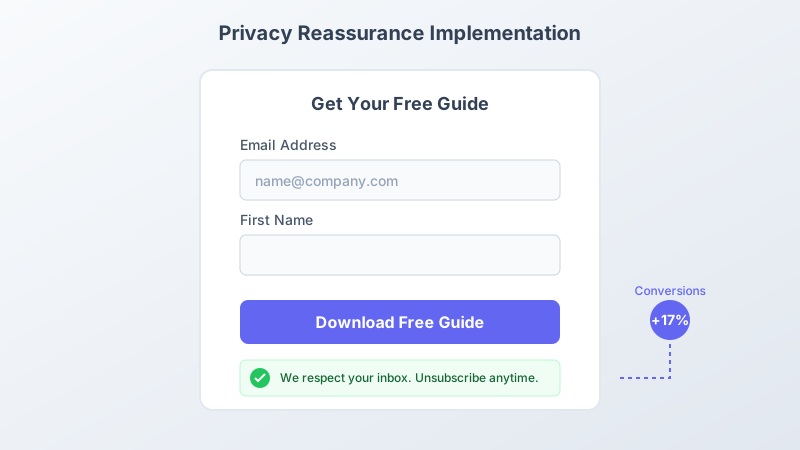
Add trust signals:
- Link to privacy policy
- Explain how data will be used
- Mention you won’t spam or sell data
- Display security badges if processing payments
Example microcopy: “We’ll only email you about your request. No spam, ever.”
Technique 11: Optimize for Mobile First
The data: Mobile users are 2x more likely to abandon poorly designed forms according to Google research.
Mobile optimization checklist:
- Single-column layout mandatory
- Touch targets minimum 44x44px
- Appropriate keyboard types per field
- No horizontal scrolling
- Sticky submit buttons on long forms
Technique 12: Use Progress Indicators
For multi-step forms, show users where they are:
- Step numbers: “Step 2 of 3”
- Progress bars: Visual percentage complete
- Time estimates: “About 30 seconds remaining”
Progress indicators reduce anxiety and motivate completion.
Technique 13: Minimize Distractions
The data: Removing navigation from landing pages can increase conversions by up to 100% according to HubSpot testing.
On form-focused pages:
- Remove or minimize navigation
- Eliminate competing CTAs
- Focus attention on the form
- Use directional cues pointing to form
Technique 14: Optimize Form Placement
Above the fold: Visible without scrolling on desktop Contextual: Appears after relevant content Sticky: Follows user on long pages Exit intent: Shows when users try to leave
Test different placements to find what works for your audience.
Technique 15: Craft Compelling Headlines
Your form headline should answer: “What do I get?”
Weak: “Contact Form” Strong: “Get Your Free SEO Audit in 24 Hours”
Weak: “Sign Up” Strong: “Start Your 14-Day Free Trial”
Headlines should promise specific value.
Technique 16: A/B Test Systematically
Don’t guess what works. Test it.
High-impact elements to test:
- Number of form fields (biggest impact)
- CTA button text and color
- Form headline
- Field order
- Single-step vs. multi-step
Testing rules:
- Change one element at a time
- Run until statistically significant
- Document and learn from results
Technique 17: Reduce Typing Requirements
Every keystroke is friction. Minimize typing:
- Use dropdowns for limited options
- Implement radio buttons for binary choices
- Add date pickers instead of text input
- Enable address autocomplete
- Use smart defaults
Technique 18: Optimize Error Recovery
When errors occur, help users recover quickly:
- Keep entered data intact
- Scroll to and highlight error fields
- Provide specific correction guidance
- Don’t force users to start over
Bad error: “Invalid input” Good error: “Please enter a valid email address like name@example.com”
Technique 19: Time Your Popups Carefully
If using popup forms:
- Wait 30-60 seconds minimum
- Trigger on scroll depth (50%+)
- Use exit intent wisely
- Don’t show to returning visitors who’ve dismissed
- Always provide easy close option
Technique 20: Optimize Thank You Pages
The experience continues after submission:
- Confirm the submission clearly
- Set expectations for next steps
- Deliver promised value immediately
- Offer secondary conversion opportunity
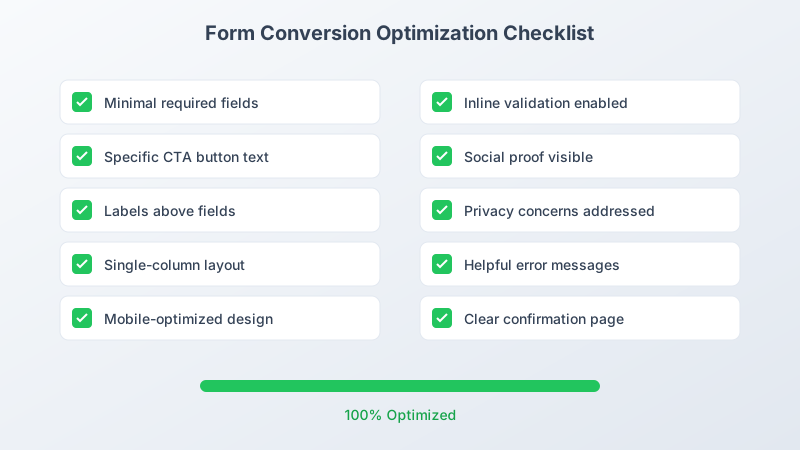
Quick Implementation Checklist
Use this checklist to audit your current forms:
- Each field is absolutely necessary
- CTA button uses specific, value-focused text
- Labels are positioned above fields
- Form is single-column layout
- Mobile experience is optimized
- Inline validation is implemented
- Social proof is visible near form
- Privacy concerns are addressed
- Error messages are helpful and specific
- Thank you page sets clear expectations
FAQ
What is a good form conversion rate? Industry benchmarks vary, but lead generation forms typically convert between 5-10% for cold traffic and 15-25% for warm traffic. Landing pages optimized for conversions often achieve 10-20%. Focus on improving your baseline rather than hitting arbitrary numbers.
How many fields should a form have for maximum conversions? Research consistently shows fewer fields convert better. For lead generation, 3-5 fields is optimal. Each additional field beyond four reduces conversions by approximately 10%. Only ask for information you immediately need.
Should I use single-step or multi-step forms? Multi-step forms work best when you need more than 4-5 fields. They reduce perceived effort and leverage psychological commitment. For simple forms with 3 fields or fewer, single-step is usually better.
How do I optimize forms for mobile users? Use single-column layouts, ensure touch targets are at least 44x44 pixels, implement appropriate keyboard types for each field, and test on actual devices. Consider sticky submit buttons on longer forms.
What button text converts best on forms? Specific, value-oriented text consistently outperforms generic labels. “Get Your Free Guide” beats “Submit” by significant margins. Use first-person language like “Get My Report” for additional lift.
Start Optimizing Your Forms Today
Implementing these 20 techniques takes time, but the results compound. Start with the highest-impact changes: reduce fields, improve your CTA, and ensure mobile optimization.
Pixelform helps you build conversion-optimized forms from the start:
- Drag-and-drop builder with best practices built in
- Multi-step form support with progress indicators
- Real-time analytics to track performance
- Mobile-responsive by default
Create your first optimized form and start converting more visitors today.