Real Estate Forms: Templates for Agents & Brokers
Key Takeaways
- Optimized real estate forms can increase lead conversion by 40% compared to generic contact forms, by asking property-specific questions at the right time
- Mobile-first design is essential since 73% of home buyers use mobile devices during their property search (NAR 2024)
- Automated follow-up within 5 minutes of form submission leads to 21x higher contact rates with potential buyers
- Integration with real estate CRMs like Follow Up Boss, kvCORE, and LionDesk eliminates manual data entry and speeds up agent response times
Real estate is a relationship business, but those relationships start with a form. Whether someone is requesting a showing, signing in at an open house, or asking about selling their home, the quality of your forms directly impacts your lead flow and conversion rates.
In this comprehensive guide, we’ll explore the essential forms every real estate professional needs, best practices for maximizing conversions, and templates you can implement today.
Why Generic Contact Forms Fail in Real Estate
Most real estate websites use basic contact forms that ask for name, email, phone, and a message box. While simple, these forms miss critical opportunities:
They don’t capture intent. Is this person looking to buy, sell, or rent? Are they ready to move now or just researching? Without this context, agents waste time on unqualified leads.
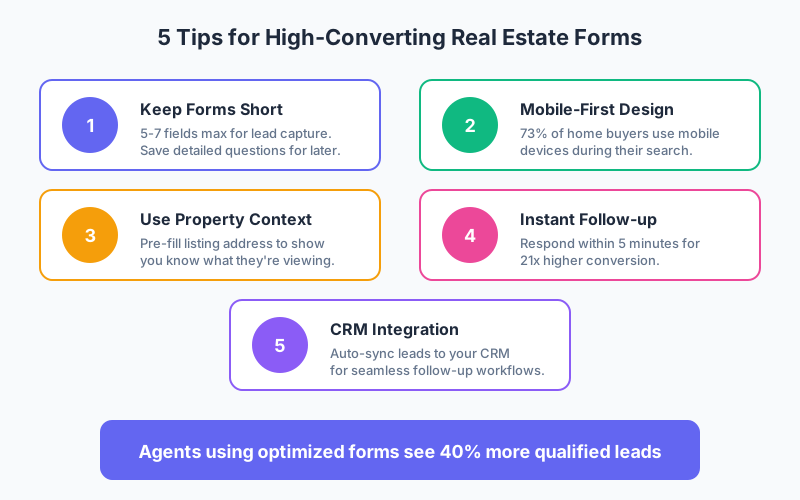
They lack property context. When someone inquires about a specific listing, the form should acknowledge that. Pre-filling the property address shows professionalism and reduces friction.
They don’t segment leads. A first-time homebuyer needs different follow-up than a real estate investor. Smart forms route leads appropriately.
According to the National Association of Realtors, agents who respond to leads within 5 minutes are 21 times more likely to qualify that lead compared to those who wait 30 minutes. Your forms should enable this rapid response through automation and proper routing.
Essential Real Estate Forms Every Agent Needs
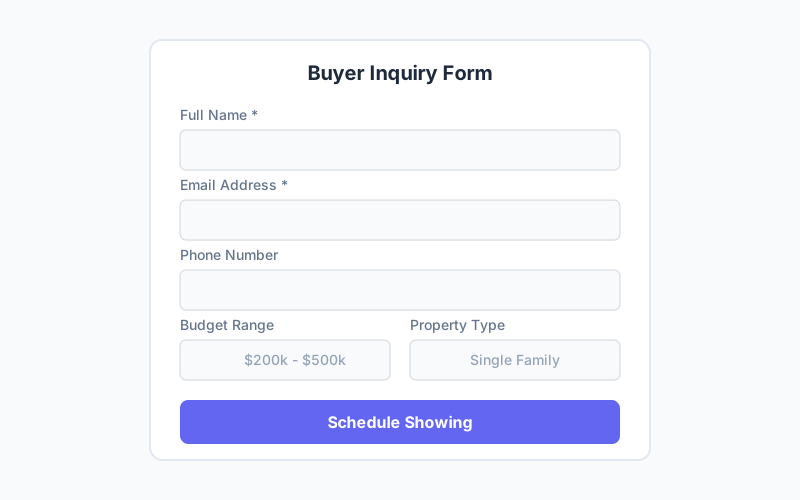
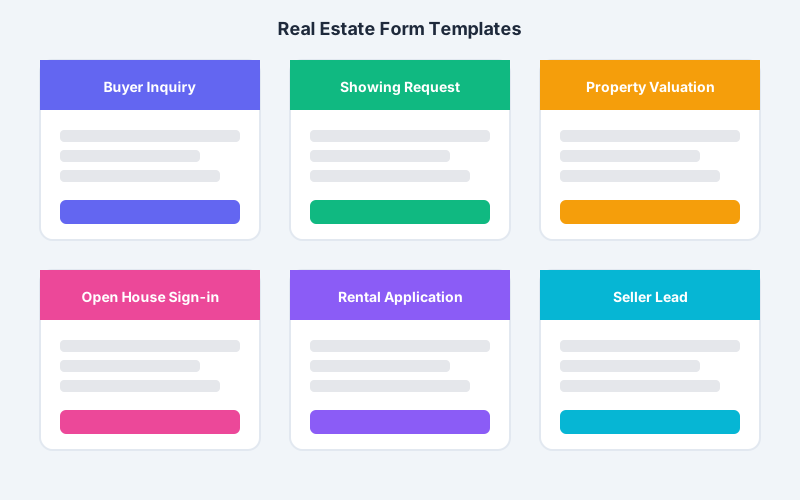
1. Buyer Inquiry Form
The buyer inquiry form is your primary lead capture tool for potential homebuyers. It should gather enough information to qualify the lead without creating friction.
Essential fields:
- Name and contact information
- Budget range (dropdown selector)
- Desired location/neighborhood
- Property type preference
- Timeline for purchase
- Pre-approval status
Optional fields for qualification:
- Current living situation (rent/own)
- Motivation for moving
- Working with another agent?
Pro tip: Use conditional logic to show follow-up questions based on answers. If someone indicates they’re pre-approved, ask about their lender. If they’re not, offer to connect them with a mortgage partner.
2. Showing Request Form
When buyers want to schedule a property viewing, your showing request form should make booking seamless while capturing qualification data.
Best practices:
- Pre-populate the property address if linked from a listing page
- Offer available time slots rather than open-ended scheduling
- Ask about financing status
- Include a field for special requests or accessibility needs
Integration with calendar tools like Calendly or ShowingTime can automate the scheduling process entirely.
3. Open House Sign-In Form
The paper sign-in sheet is outdated and creates data entry work. Digital open house forms capture leads instantly and can trigger immediate follow-up.
What to include:
- Name and email (required)
- Phone number
- Are you working with an agent?
- How did you hear about this open house?
- Interest level (just looking, actively searching, ready to make an offer)
- Would you like information on similar properties?
Digital sign-in also lets you send property details, additional photos, and follow-up immediately while you’re still fresh in their mind.
4. Seller Lead Capture Form
Seller leads are high-value, so your forms should reflect that. A well-designed seller inquiry form qualifies leads while demonstrating your market expertise.
Key questions:
- Property address
- Property type and approximate square footage
- Reason for selling
- Timeline for selling
- Estimated home value expectation
- Outstanding mortgage balance (optional)
- Desired communication method
Consider offering a free home valuation as an incentive for form completion. This positions you as a market expert while capturing seller intent.
5. Rental Application Form
For agents who handle rentals, a comprehensive application form streamlines tenant screening.
Required sections:
- Personal information and identification
- Employment and income verification
- Rental history and references
- Emergency contacts
- Vehicle information (if applicable)
- Pet information
- Authorization for background/credit check
Ensure your rental forms comply with Fair Housing Act requirements and local regulations.
Form Design Best Practices for Real Estate
Keep Lead Capture Forms Short
For initial lead capture, aim for 5-7 fields maximum. According to HubSpot research, reducing form fields from 11 to 4 can increase conversions by 120%. You can always gather more information during the follow-up call.
Design Mobile-First
The National Association of Realtors reports that 73% of homebuyers used a mobile device during their home search in 2024. Your forms must work flawlessly on smartphones:
- Use large tap targets (at least 44px)
- Implement single-column layouts
- Enable autofill for common fields
- Use dropdown menus for selections
- Test on multiple devices before launching
Implement Smart Conditional Logic
Don’t show every field to every user. Use conditional logic to create personalized form experiences:
- If buyer is pre-approved → Show lender information field
- If timeline is “urgent” → Trigger priority notification to agent
- If working with another agent → Show different follow-up messaging
- If investor inquiry → Ask about investment criteria
Add Social Proof
Include testimonials, star ratings, or client count near your forms. Seeing “Trusted by 500+ families in [Area]” builds confidence and increases submission rates.
Create Clear Value Propositions
Instead of “Contact Us,” use specific CTAs that convey value:
- “Schedule Your Private Showing”
- “Get Your Free Home Valuation”
- “Find Homes Matching Your Criteria”
- “Join Our VIP Buyer List”
Automating Your Real Estate Form Workflow
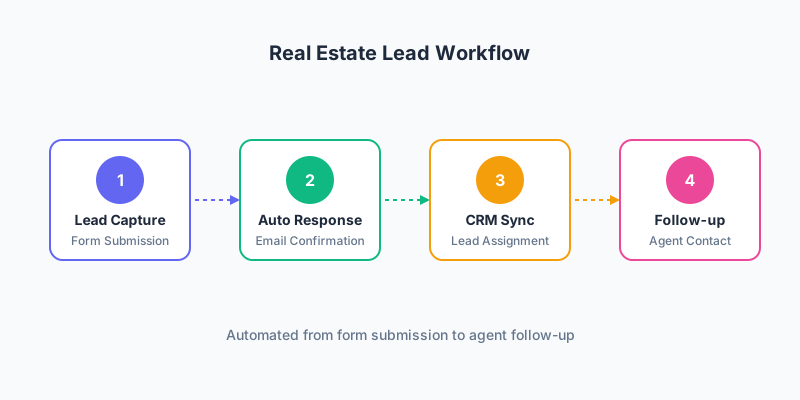
The real power of modern forms comes from automation. When someone submits a buyer inquiry, your system should:
- Send instant confirmation with next steps and agent contact information
- Notify the appropriate agent based on lead type, location, or value
- Add the lead to your CRM with all form data populated
- Trigger an email sequence appropriate to their timeline
- Schedule a follow-up task in your CRM
CRM Integration Options
Most form builders integrate with popular real estate CRMs:
- Follow Up Boss - Excellent for teams, strong automation
- kvCORE - All-in-one platform with built-in forms
- LionDesk - Budget-friendly with video messaging
- Wise Agent - Great for transaction management
- Sierra Interactive - Powerful for lead generation sites
When setting up integrations, map your form fields to the correct CRM fields. Include source tracking so you know which forms and marketing channels generate the best leads.
Measuring Form Performance
Track these metrics to optimize your real estate forms:
| Metric | Benchmark | Action if Below |
|---|---|---|
| Submission Rate | 15-25% of visitors | Reduce fields, improve CTA |
| Mobile Submission Rate | Should match desktop | Fix mobile UX issues |
| Lead Quality Score | Define internally | Add qualification questions |
| Response Time | Under 5 minutes | Improve notification system |
| Conversion to Showing | 20-30% | Improve follow-up sequence |
Use A/B testing to continuously improve. Test different:
- Headlines and CTAs
- Number of fields
- Field order
- Form placement on page
- Incentive offers
Compliance Considerations
Real estate forms must comply with several regulations:
Fair Housing Act: Don’t ask questions that could be seen as discriminatory based on protected classes. Avoid questions about family status, religion, national origin, or disability.
TCPA (Telephone Consumer Protection Act): If you plan to text leads, include clear consent language and an opt-in checkbox.
CAN-SPAM: Email consent should be explicit with clear expectations about communication frequency.
State-specific regulations: Some states have additional requirements for real estate advertising and lead capture. Consult with your broker or legal counsel.
FAQ
What information should I require on a real estate lead form?
For initial lead capture, require only name, email, and phone number. Add one or two qualifying questions like budget range and timeline. More detailed information can be collected during follow-up calls. Requiring too many fields upfront significantly reduces submission rates according to conversion studies.
How can I increase open house sign-in rates with digital forms?
Place tablets at the entrance with your digital sign-in form pre-loaded. Keep the form to 4-5 fields maximum. Offer an incentive like email alerts for price changes or new listings. Follow up within one hour while the property is fresh in their minds.
Should I use the same form on every listing page?
Customize forms for each listing by pre-populating the property address. This shows professionalism and confirms to the buyer that their inquiry is about the correct property. Use conditional logic to ask different questions based on price point or property type.
How do I integrate real estate forms with my CRM?
Most modern form builders offer direct integrations with popular real estate CRMs like Follow Up Boss, kvCORE, and LionDesk. Use Zapier or Make for CRMs without direct integration. Map form fields to corresponding CRM fields and set up automatic lead assignment rules.
What’s the best way to handle buyer vs. seller inquiries?
Create separate forms optimized for each audience. Seller forms should focus on property details and motivation, while buyer forms focus on search criteria and financing. Route each form type to different email sequences and CRM pipelines for appropriate follow-up.
Start Capturing More Real Estate Leads Today
The right forms can transform your real estate business. By implementing optimized buyer inquiry forms, streamlined showing schedulers, and digital open house sign-ins, you’ll capture more leads and convert them faster.
Remember the key principles:
- Keep lead capture forms short and mobile-friendly
- Use conditional logic to personalize the experience
- Automate follow-up to respond within 5 minutes
- Integrate with your CRM for seamless lead management
- Test and optimize continuously
Ready to modernize your real estate forms? Create your first form with Pixelform and start converting more visitors into qualified leads.